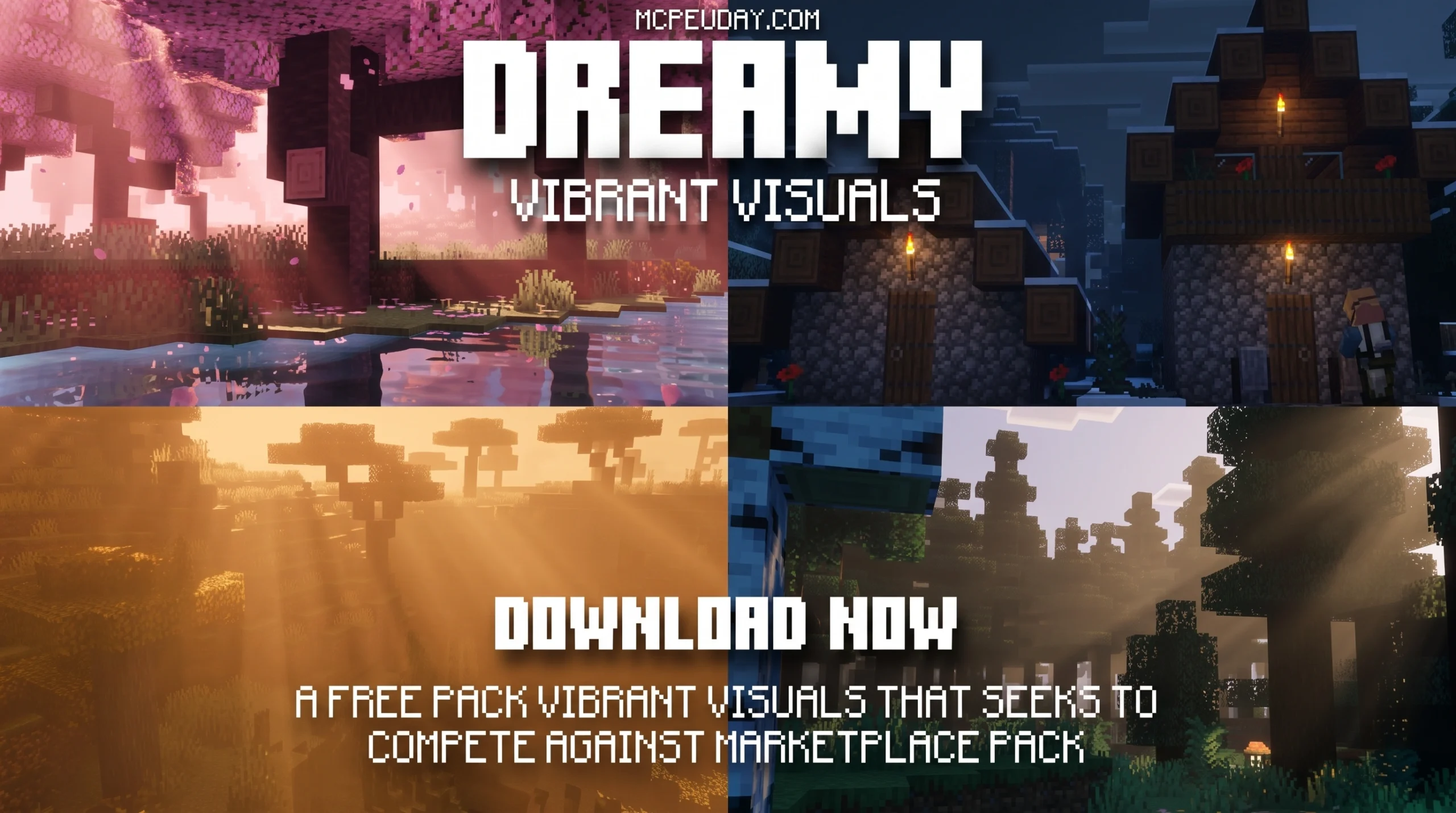
What the Dreamy Visuals Shader Does to Your Minecraft World
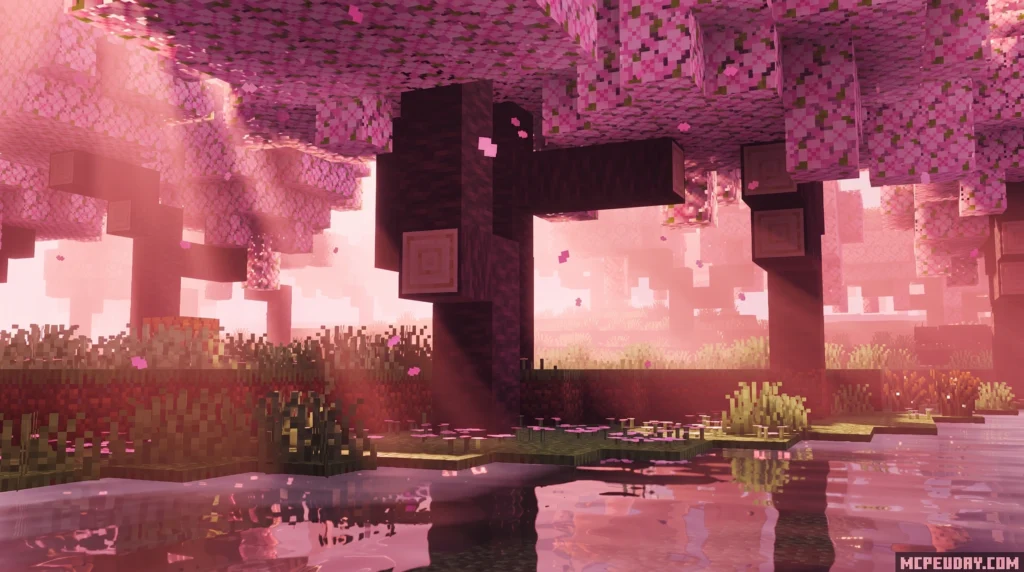
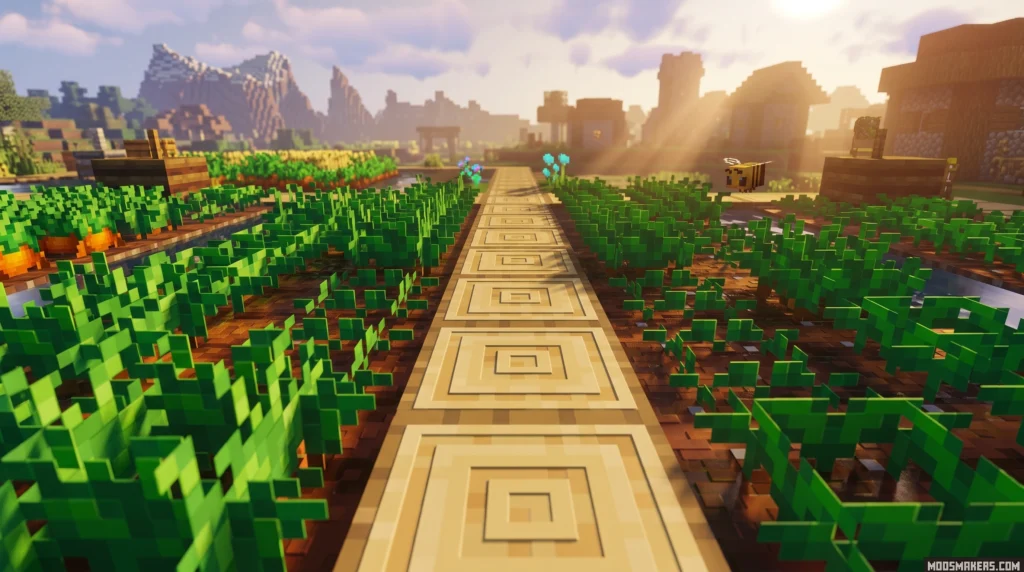
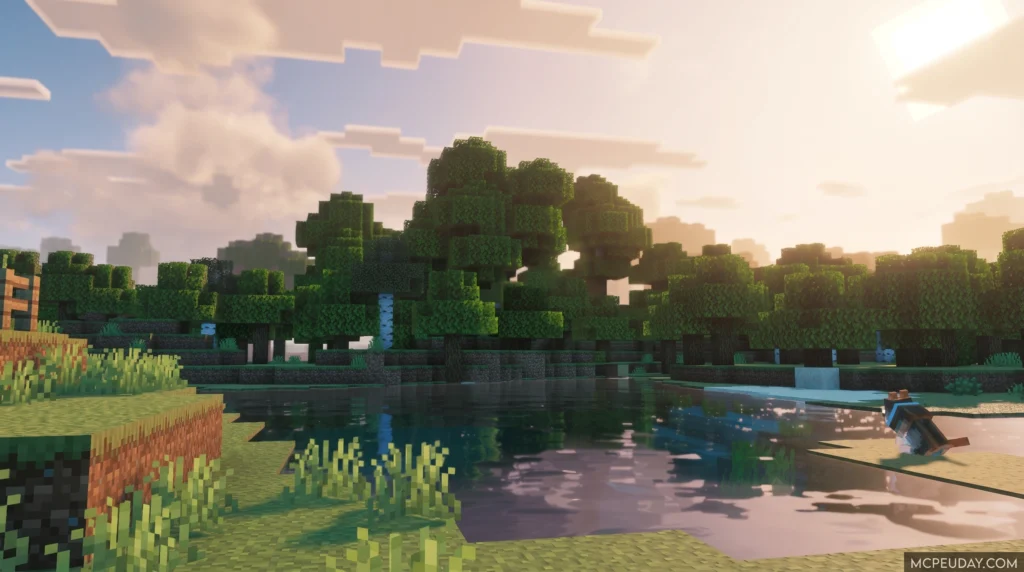
The Dreamy Visuals Shader is a visual overhaul pack for Minecraft Bedrock Edition that transforms your game with colorful, dream-inspired graphics — including 3D block rendering, shimmering minerals, light-streaked water, and a brightened Nether.
Quick answer for Bedrock players:
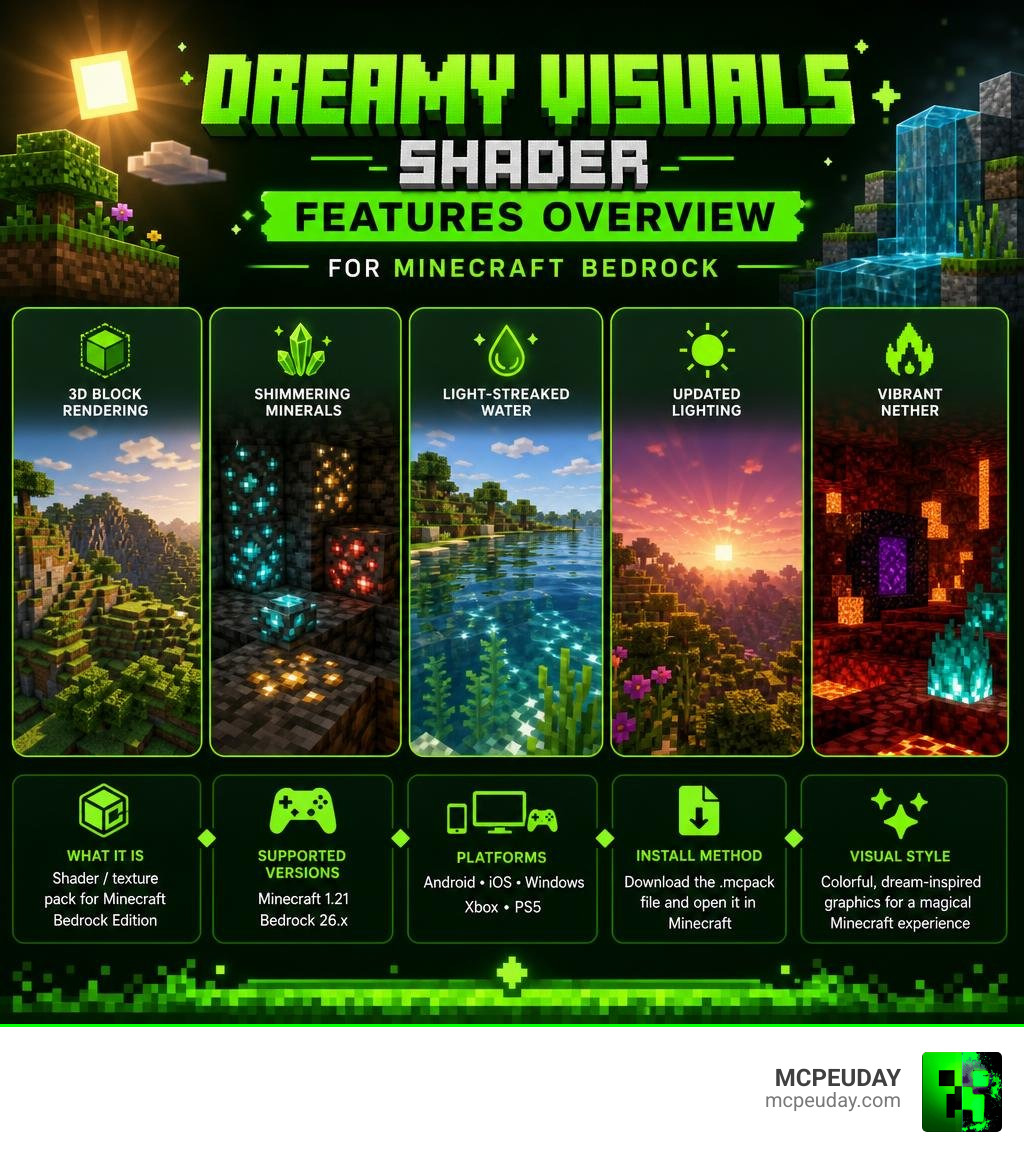
- What it is: A shader/texture pack for Minecraft PE and Bedrock Edition
- Main effects: 3D blocks, shimmering minerals, glowing water, updated lighting, vibrant Nether
- Supported versions: Minecraft 1.21 / Bedrock 26.x
- Platforms: Android, iOS, Windows, Xbox, PS5
- Install method: Download the
.mcpackfile and open it in Minecraft
If you want your Minecraft world to look less gritty and realistic — and more like something out of a colorful dream — this shader is built exactly for that.
Unlike packs that aim for photorealism, the Dreamy Visuals Shader leans into a fantasy aesthetic. Sunlight feels warmer, nights feel more alive, and even the Nether gets a vibrant makeover. It’s one of the more visually unique options available for Bedrock right now.
In this guide, we’ll cover everything: its features, how it compares to other shaders, how to install it, and whether your device can actually run it smoothly.
What is the Dreamy Visuals Shader?
The Dreamy Vibrant Visuals Shader is a custom visual expansion pack designed specifically to bring a magical, fantasy atmosphere to Bedrock graphics. While many modern shaders focus heavily on mimicking real-world physics, this shader prioritizes a stylized, artistic approach. It is not just about making things look realistic; it is about making them look enchanting.
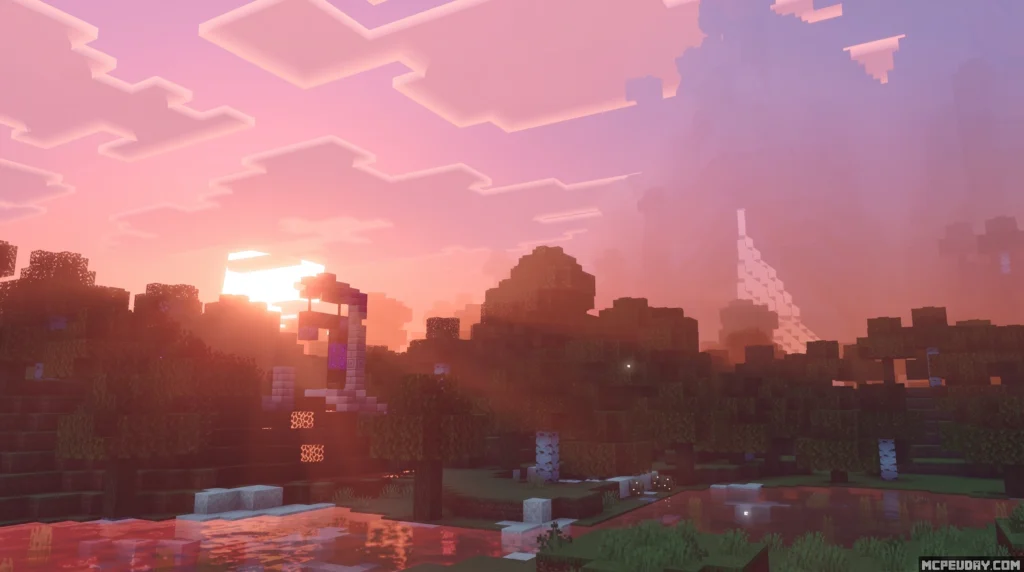
By shifting the core color palette to warmer, more saturated tones and introducing soft environmental glows, it creates an inviting and whimsical aesthetic design. Rather than feeling cold or sterile, your Minecraft world feels like a cozy, living canvas. This visual expansion is highly sought after by players who enjoy building fairy-tale kingdoms, mystical forests, or simply want their survival worlds to feel a bit more magical. The shader alters the way shadows fall, how light diffuses through leaves, and how the sky transitions from a soft pastel dawn to a deep, starry night, ensuring that every moment spent in-game feels like a scene from an animated fantasy film.
Key Features of the Dreamy Vibrant Visuals Shader
What makes this pack stand out in the crowded world of Bedrock shaders? It is the attention to small details that collectively create a massive aesthetic upgrade. The developers have carefully balanced performance with high-fidelity visual tweaks to ensure that the game looks stunning without grinding your device to a halt.
Here are the standout features you will notice immediately after activation:
- 3D Block Rendering: Blocks gain subtle depth, making surfaces like cobblestone, brick, and wood feel tactile and realistic. This is achieved through advanced mapping techniques that simulate physical crevices and raised edges under different lighting angles.
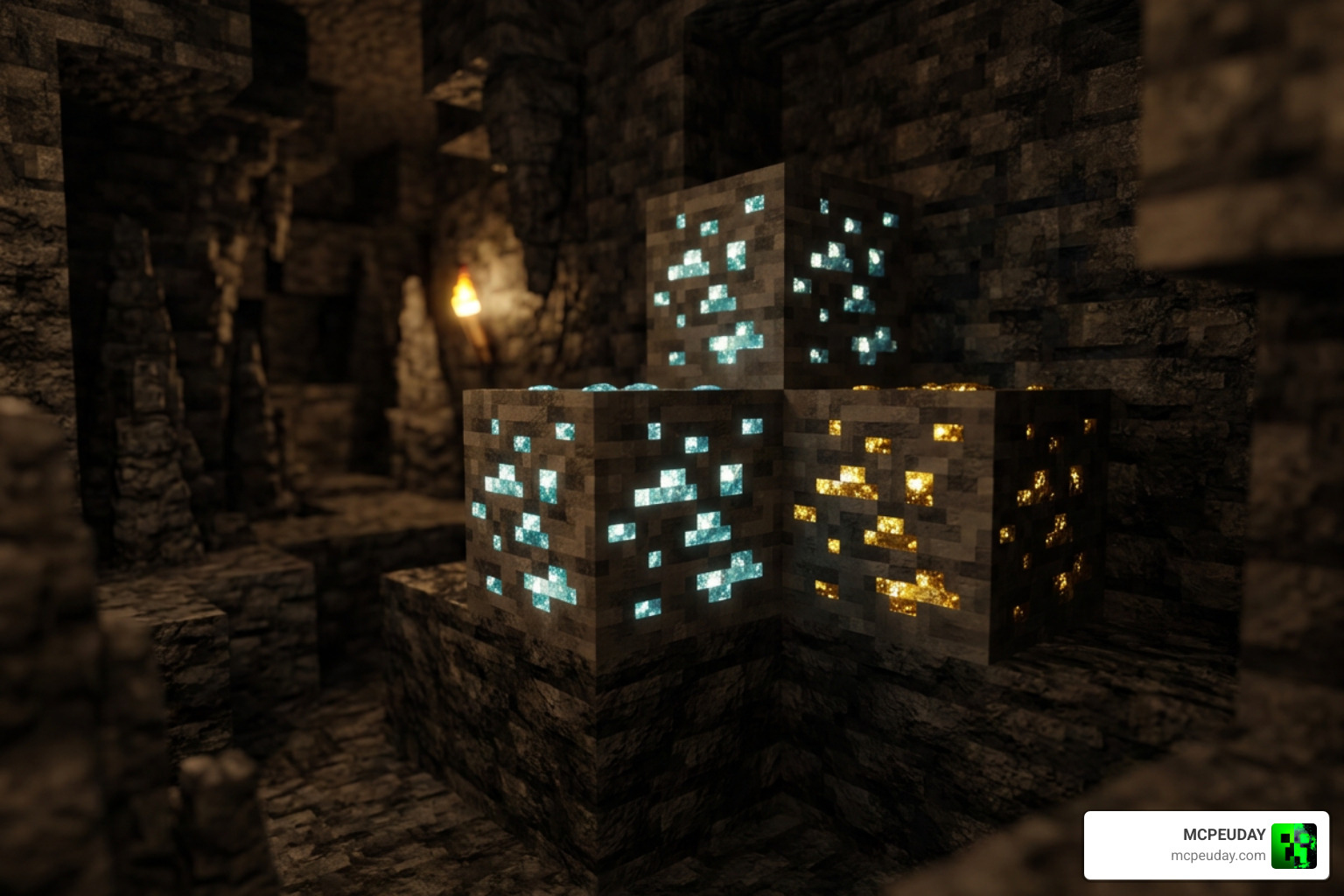
- Shimmering Minerals: Ore blocks like diamond, gold, and iron shimmer gently in the dark, making mining trips feel incredibly rewarding. This subtle pulse of light helps you spot valuable resources from a distance in deep caves.
- Light-Streaked Water: Water surfaces are lighter, clearer, and feature gorgeous light streaks that dance across the surface. The transparency is tuned perfectly so you can see aquatic life clearly while enjoying realistic surface reflections.
- Brightened Nether: The Nether gets a complete color overhaul, transforming from a dark, muddy red waste into a vibrant, high-contrast underworld filled with rich purples, deep blues, and glowing neon highlights.
For a detailed look at these features in action, you can check out the Luminous Dreams 1.0 Shader Pack Review + Showcase to see how dynamic lighting elevates the overall gameplay experience.
Visual Enhancements in the Dreamy Visuals Shader
The core engine of this shader completely reworks how sunlight and nighttime lighting interact with the environment. It introduces biome-specific environments, adjusting the color temperature depending on where you stand. This means that exploring different regions of your world feels like entering entirely new realms.
For example, hot biomes like deserts and savannas feature incredibly warm tones and intense, golden sunset lighting that casts long, dramatic shadows. Conversely, frozen biomes and cold oceans shift toward cool, crisp blue tones, making the snowy landscapes feel appropriately chilly and serene. Dynamic lighting changes also mean that light-emitting blocks like torches, glowstone, and lanterns cast a soft, ambient glow that feels natural and warm, illuminating your builds with a cozy, welcoming light.
Water and Nether Effects in the Dreamy Visuals Shader
Water in this shader is a work of art. Instead of the default opaque blue blocks, water caustics create shimmering patterns on the ocean floor, mimicking the way sunlight refracts through moving liquid. The surface features delicate light streaks that react dynamically to the angle of the sun and moon, creating breathtaking views during sunrises and sunsets.
In the Nether, the shader works wonders by replacing the oppressive, dark fog with a colorful environmental fog. This brightened Nether highlights the unique blocks of the Crimson and Warped forests, turning a dangerous dimension into a strikingly beautiful landscape. The glowing lava pools cast a rich orange light that contrasts beautifully with the colorful fog, making exploration in the underworld far more visually engaging and less monotonous.
Compatibility, Performance, and System Requirements
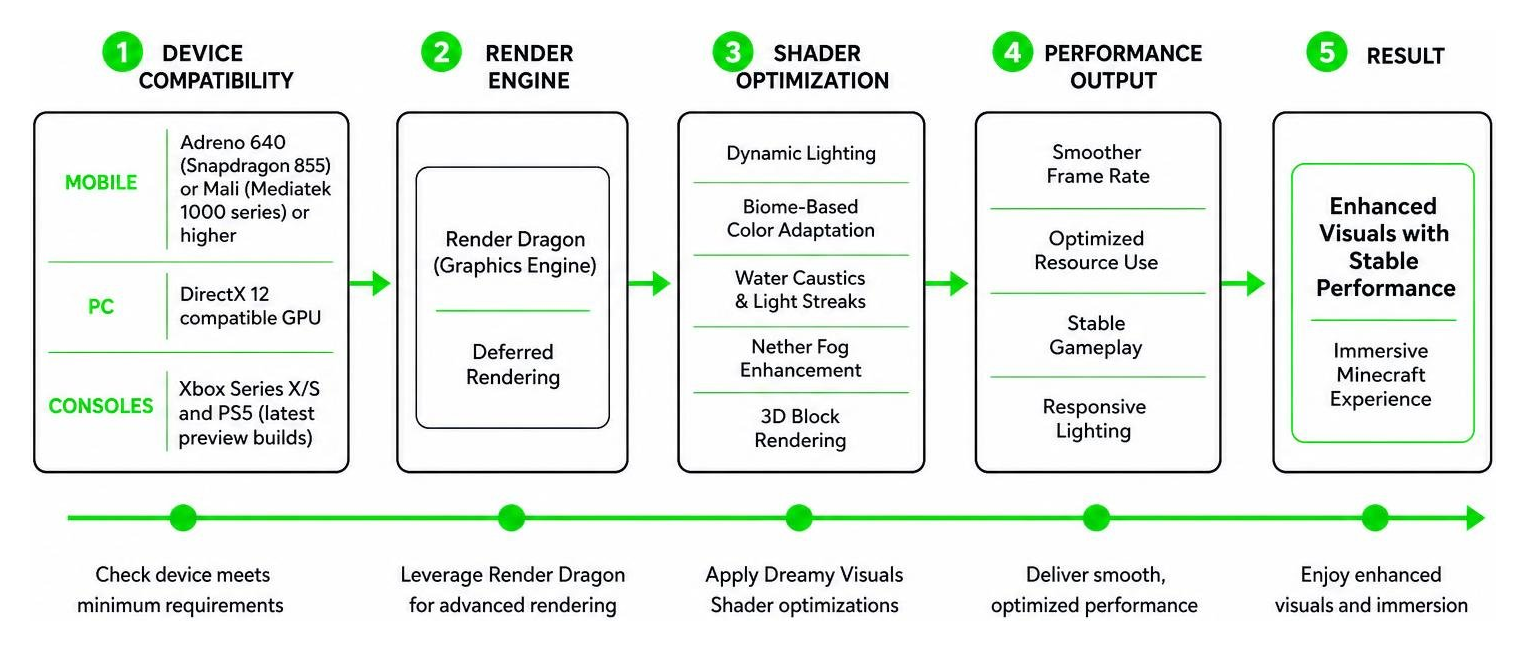
Because Minecraft Bedrock relies on the Render Dragon graphics engine, running high-end shaders requires specific hardware features. The Dreamy Visuals Shader is optimized for Minecraft 1.21 and Bedrock 1.26+ versions, taking full advantage of the modern rendering pipeline to deliver stable performance.
Before downloading, ensure your device meets these technical requirements:
- Mobile (Android/iOS): Requires a GPU equivalent to an Adreno 640 (Snapdragon 855) or a Mali chip (Mediatek 1000 series) or higher. Devices with at least 4GB of RAM are highly recommended to prevent memory-related crashes during long play sessions.
- PC: Requires a DirectX 12 compatible GPU to utilize the advanced deferred rendering features. Dedicated graphics cards from NVIDIA (GTX 1060 or better) or AMD (RX 580 or better) will provide the smoothest experience.
- Consoles: Fully compatible with Xbox Series X/S and PS5 when using the latest preview builds that support deferred technical preview features.
If you are running on an older mobile device, we highly recommend checking out our Best Render Dragon Shaders for MCPE 1.21 Tested on Real Devices 2026 Guide to find optimized settings that maintain a stable 60 FPS. Adjusting settings such as lowering your render distance, disabling fancy bubbles, or turning off beautiful skies can significantly boost your frame rate without sacrificing the core aesthetic of the shader.
How to Install the Shader on Mobile and PC
Ready to upgrade your graphics? Installing the shader is a straightforward process. Because it is packaged as an .mcpack file, your device can import it automatically without needing complex manual file extractions or third-party installation tools.
- Download the Pack: Get the latest version of the shader from our dedicated Minecraft Shaders Download for Android page.
- Import to Minecraft: Locate the downloaded
.mcpackfile in your file manager and tap on it. Select “Open with Minecraft.” The game will launch and automatically import the pack. If you are on iOS, you may need to use the Files app to share and open the file with Minecraft. - Activate in World Settings: Go to your World Settings, scroll down to Resource Packs, and activate the shader. You can also activate it globally in the main settings menu if you want it active across all worlds.
- Enable Experimental Features: If you are using the deferred lighting features on a compatible device, make sure to enable the “Render Dragon Features” or “Deferred Technical Preview” toggle in your world settings. This is crucial for enabling the advanced lighting and 3D block effects.
For a more detailed, platform-specific walkthrough, check out our guides on How to Get Shaders in Minecraft and the updated How to Turn on Shaders in Minecraft 2026 Guide.
Comparing Dreamy Visuals to Other Bedrock Shaders
To help you decide if this is the right shader for your playstyle, we have compared the Dreamy Visuals Shader to other popular options available in our 15 Best Minecraft PE Shaders June 2026 and 10 Top Minecraft PE Shaders June 2026 Best Realistic MCPE Shaders collections.
| Feature / Shader | Dreamy Visuals Shader | Definitive Vibrant Visuals | Mystica Shader |
|---|---|---|---|
| Primary Style | Whimsical, warm, fantasy | Realistic, high-contrast | Dark, moody, atmospheric |
| Deferred Rendering | Supported (1.21+) | Fully Supported (PBR) | Supported |
| Nether Overhaul | Bright & colorful | Dark & smoky | High-contrast crimson |
| Performance Impact | Moderate | High (requires strong GPU) | Low-to-Moderate |
| Water Quality | Clear with light streaks | Realistic caustics & waves | Soft, reflective |
Frequently Asked Questions about Dreamy Visuals
Is the Dreamy Visuals Shader compatible with Render Dragon?
Yes! The shader is fully updated for the Render Dragon engine. It utilizes Bedrock’s deferred technical preview graphics pipeline to render advanced lighting, PBR textures, and atmospheric fog without needing external third-party clients.
What are the hardware requirements for mobile devices?
For smooth performance, we recommend a device with at least a Snapdragon 855 processor (Adreno 640 GPU) or a Mediatek 1000 series chip. Modern iOS devices (iPhone 12 and newer) run this shader wonderfully. If you experience frame drops, you can turn off wavy leaves or lower your render distance in the game settings.
Are there any licensing or usage restrictions?
The shader is free for personal use. However, if you plan to showcase it in a video or share it with the community, you must respect the creator’s copyright terms by providing proper credits and linking back to the official download pages. Avoid redistributing modified versions of the .mcpack without permission.
Conclusion
At MCPEUDAY, we believe that the right shader can completely redefine how you experience Minecraft. The Dreamy Visuals Shader successfully moves away from the sterile look of realism, offering instead a warm, magical, and incredibly cozy world that is hard to step away from.
If you are ready to give your Bedrock world a gorgeous, dream-like makeover, head over to our download section to grab the pack today. For more incredible graphics options, be sure to read our curated list of the Best Shaders for MCPE 1.21 2026 Top 3 Realistic Minecraft PE Shaders to find your perfect visual upgrade!
1 thought on “Dreamy Visuals Shader (26.x, 1.21) – MCPE/Bedrock Shader”