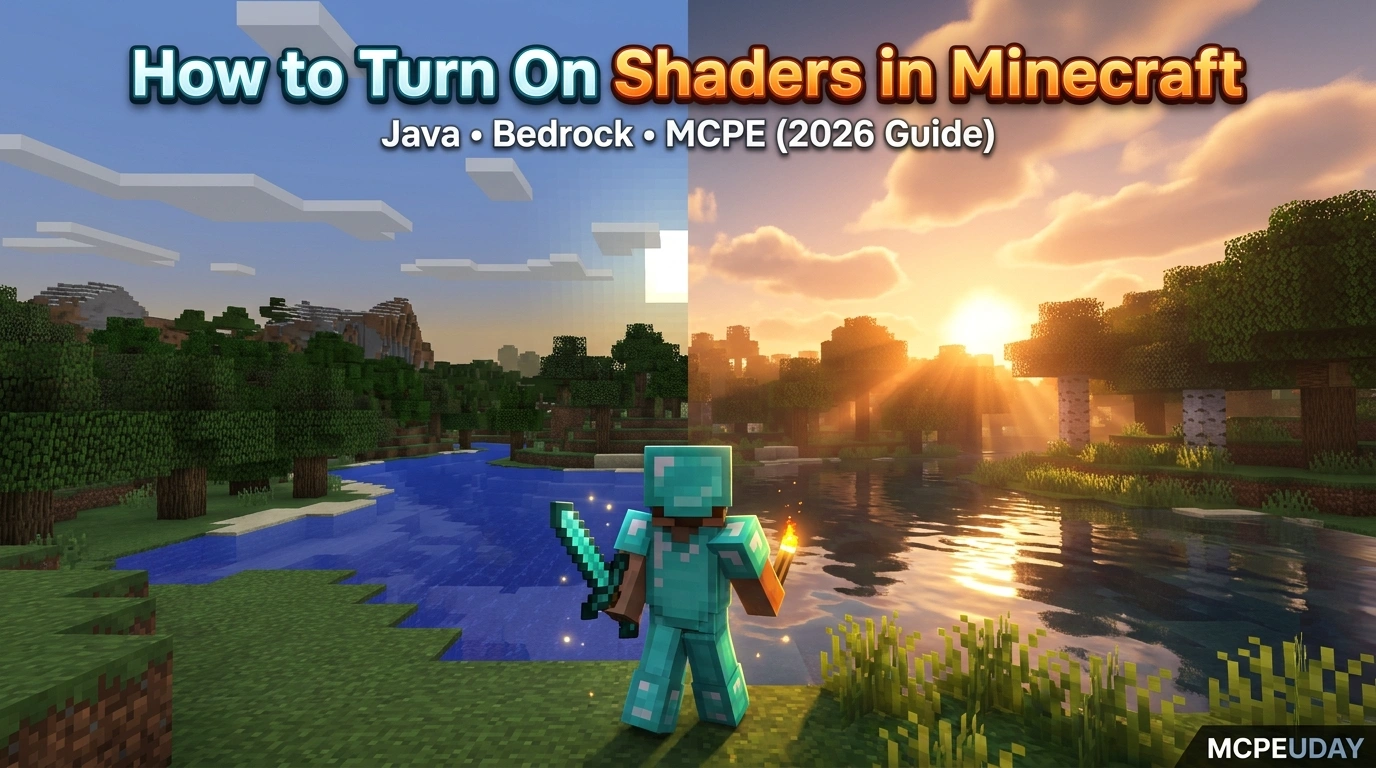
What Shaders Do to Minecraft (And How to Enable Them Fast)

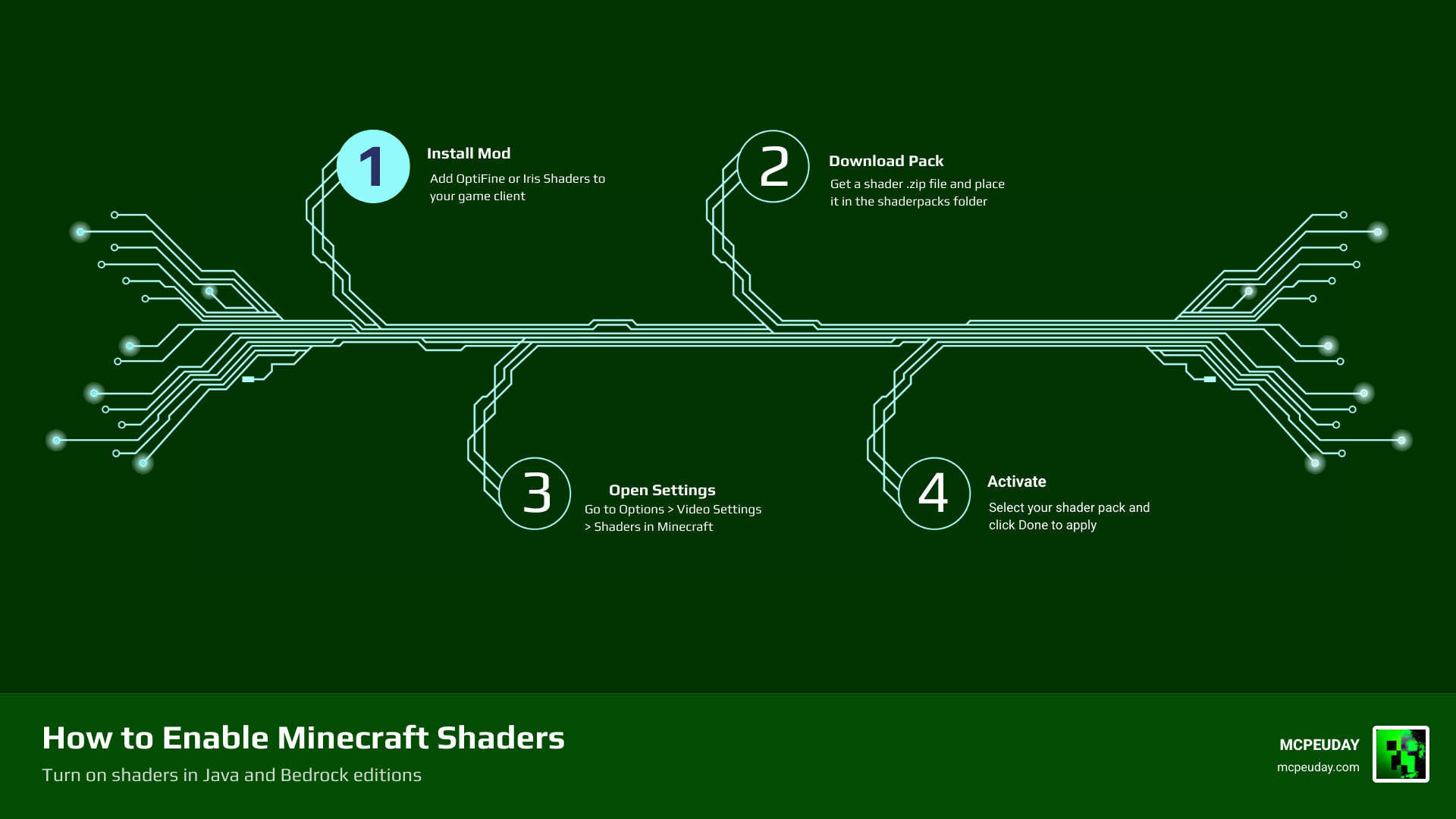
If you’ve been wondering how to turn on shaders in Minecraft, here’s the quick answer:
For Java Edition:
- Install OptiFine or Iris Shaders
- Download a shader pack (.zip file)
- Place the .zip in your
shaderpacksfolder - Open Minecraft > Options > Video Settings > Shaders
- Select your shader pack and click Done
For Bedrock Edition / PE:
- Download a shader pack (.mcpack file)
- Tap or double-click it to import into Minecraft
- Go to Settings > Global Resources
- Select the pack and hit Activate
Minecraft’s blocky world looks very different once shaders are running. Sunlight filters through leaves. Water reflects the sky. Shadows move as clouds pass overhead. It’s the same game — just transformed.
Over 80% of players report feeling more immersed after enabling shaders. That’s a big deal for a game that’s already easy to lose hours in.
But getting shaders working isn’t always obvious. You need the right tools, the right folder, and the right version. Miss one step and nothing shows up — or worse, the game crashes.
This guide walks you through exactly what to do, whether you’re on Java, Bedrock, or mobile PE. No guesswork.
Understanding Shaders and System Requirements
Before we dive into the “how,” we need to talk about the “what” and the “can I run it?” Shaders are essentially small programs or scripts that override Minecraft’s standard lighting and rendering engine. Instead of flat, static light, shaders introduce ray tracing-like effects, volumetric fog, and waving grass.
However, beauty comes at a price. Shaders are notoriously GPU-heavy. Depending on the complexity of the pack you choose, you can expect a 30-60% drop in your Frames Per Second (FPS). If you usually get 100 FPS, don’t be surprised if it dips to 40 or 50 once the shadows start rolling in.
As we move through 2026, the hardware requirements have stabilized, but you still need a decent rig to enjoy the cinematic landscapes. Here is what we recommend:
| Requirement | Minimum (Low Shaders) | Recommended (High/Ultra) |
|---|---|---|
| GPU | NVIDIA GTX 1050 / AMD RX 560 | NVIDIA RTX 3060 / AMD RX 6700 |
| RAM | 8GB (4GB Allocated to MC) | 16GB (8GB Allocated to MC) |
| CPU | Intel Core i3 / AMD Ryzen 3 | Intel Core i7 / AMD Ryzen 7 |
| OS | Windows 10/11 64-bit | Windows 11 64-bit |
If you are unsure about your hardware, you can read more about the technical side at How to turn on shaders in Minecraft? – Games Learning Society. Generally, if your laptop or PC lacks a dedicated graphics card, you’ll want to stick to “Lite” or “Toaster-friendly” shader packs.
How to Turn On Shaders in Minecraft Java Edition
Java Edition is the “home” of shaders. Because Java allows for deep modding, the community has created incredibly powerful tools to make the game look like a modern AAA title. To learn how to turn on shaders in Minecraft Java, you first need a “loader”—a mod that tells Minecraft how to read shader files.
The three big names you’ll hear are OptiFine, Iris Shaders, and Sodium.
- OptiFine: The classic choice. It’s an all-in-one tool that optimizes the game and includes a built-in shader menu.
- Iris: The modern contender. It is built for speed and is compatible with almost all OptiFine shader packs.
- Sodium: A performance engine usually paired with Iris to give you the highest possible FPS.
Most players now use sites like Modrinth or CurseForge to find their packs safely. For a visual walkthrough of the installation process for the latest versions, check out How To Install Shaders for Minecraft PC (1.21.7).
Step-by-Step Guide to Enable Shaders in Minecraft Java
Ready to flip the switch? Follow these steps exactly:
- Install your Loader: Download and install either OptiFine or the Iris/Sodium combination. If you use Iris, it often comes with a simple “one-click” installer.
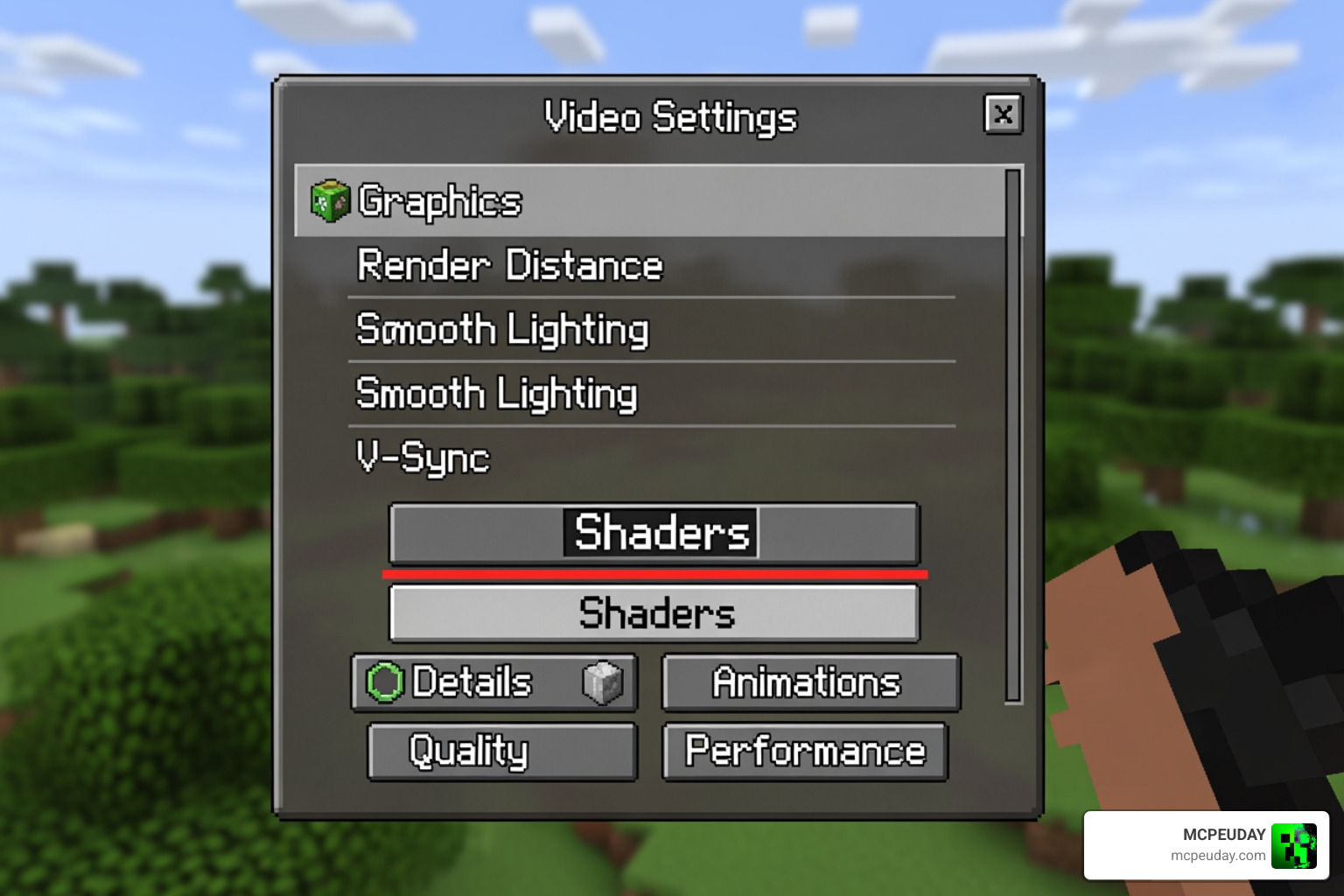
- Locate the Folder: Open Minecraft, go to Options > Video Settings. If you installed your loader correctly, you will see a Shaders (OptiFine) or Shader Packs (Iris) button. Click it, then click Open Shader Pack Folder.
- Add the Packs: This will open a folder on your computer. Drag and drop your downloaded shader .zip files here. Do not unzip them! Minecraft reads them as they are.
- Activate in Game: Go back to the Minecraft menu. Your new shaders should appear in the list. Click one, wait a few seconds for the world to reload, and hit “Done.”
For those looking for the absolute best visuals in 2026, we recommend checking out the 3 Best Shaders for Minecraft 1.21 Ultra Realistic Smooth FPS Stunning Graphics to see what your PC is truly capable of.
Choosing Between OptiFine and Iris for Shader Support
This is the great debate in the Minecraft community. We’ve tested both extensively at MCPEUDAY, and here is the breakdown:
OptiFine is great if you want a simple, single-file installation that also supports “Connected Textures” and “Zoom.” However, it is closed-source and can sometimes take a long time to update after a new Minecraft release.
Iris (paired with Sodium) is the current gold standard for performance. It uses the Fabric or Quilt mod loaders and can often run shaders at much higher frame rates than OptiFine. If you’re playing on a high-refresh-rate monitor, Iris is usually the way to go. You can find more details on this comparison at How to enable shaders in Minecraft? – Games Learning Society.
Activating Shaders on Bedrock Edition and PE
If you are playing on a console, mobile phone, or the Windows “Bedrock” version, the process for how to turn on shaders in Minecraft is a bit different. Bedrock uses the Render Dragon engine, which changed how shaders work a few years ago.
Instead of needing a separate mod like OptiFine, Bedrock shaders are usually packaged as .mcpack files. These are essentially resource packs that tell the Render Dragon engine how to handle light and shadows.
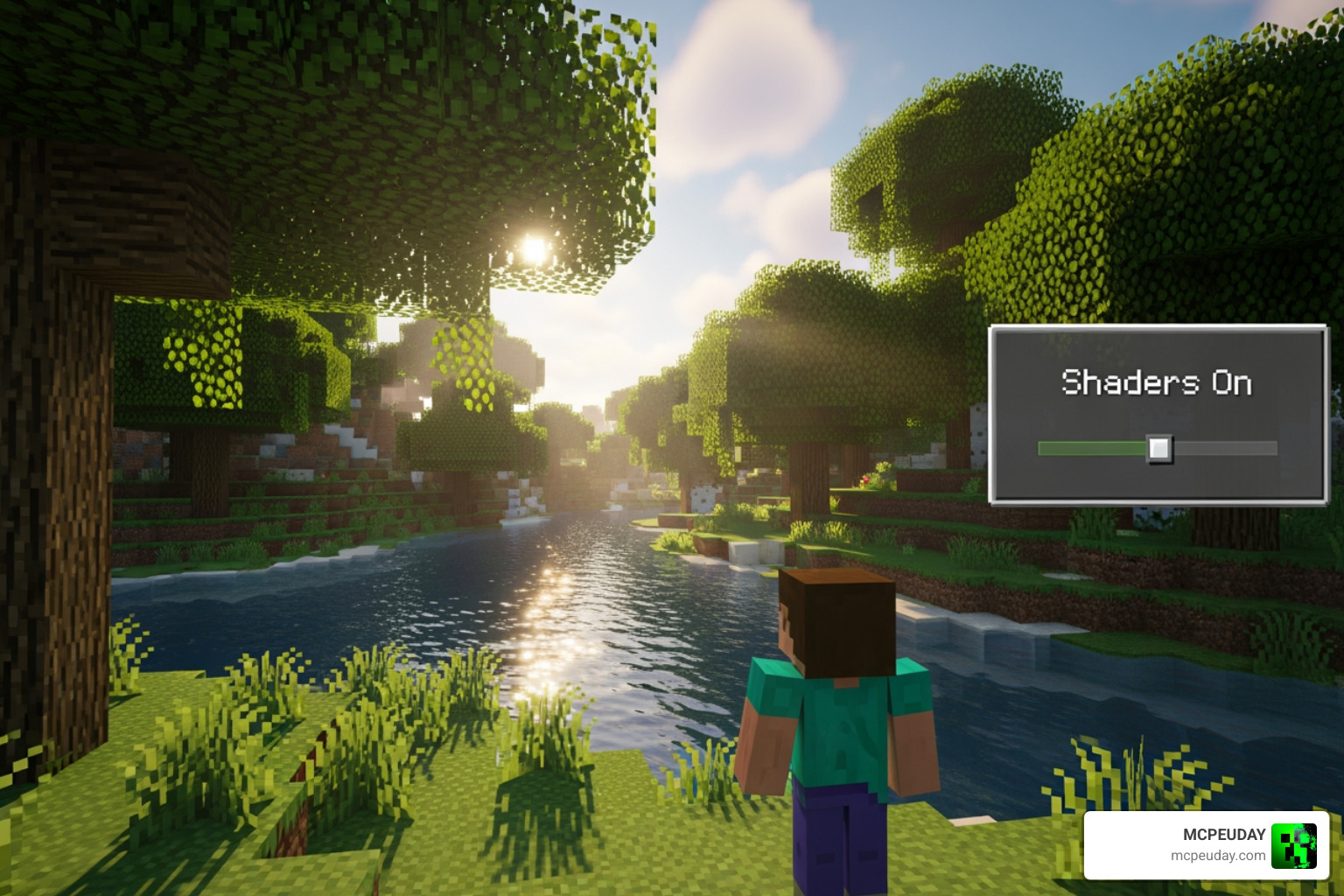
For the best results on mobile and Windows Bedrock, we suggest looking at the Best Render Dragon Shaders for MCPE 1.21 Tested on Real Devices 2026 Guide to find packs that won’t overheat your device.
How to Turn On Shaders in Minecraft Bedrock and Mobile
- Download the Pack: Look for a shader specifically labeled for “Bedrock” or “MCPE” ending in
.mcpack. - Importing: On mobile, tap the file in your downloads. On Windows, double-click it. Minecraft will open automatically and say “Import Started” at the top of the screen.
- Global Activation: From the main menu, go to Settings > Global Resources > My Packs. Click on your shader and hit Activate.
- World Specific: If you only want the shader in one specific world, go to that world’s edit menu (the pencil icon), scroll down to Resource Packs, and activate it there.
Mobile players need to be extra careful with heat management. If your phone starts feeling like a hot potato, check out our list of the Best Shaders for MCPE 1.21 2026 Top 3 Realistic Minecraft PE Shaders for options optimized for smaller screens.
Troubleshooting Common Shader Issues
Sometimes, you follow every step and things still don’t look right. Don’t panic! Here are the most common fixes:
- Missing Shaders Button: This almost always means OptiFine or Iris isn’t actually running. Check the bottom-left corner of your Minecraft launcher. It should say something like “OptiFine” or “Fabric” instead of “Latest Release.”
- Outdated Drivers: Shaders rely heavily on your graphics card. If your game crashes the moment you enable a pack, head to the NVIDIA or AMD website and update your drivers.
- Black Screen / White Screen: This is usually a version mismatch. Ensure the shader pack supports the version of Minecraft you are playing (e.g., 1.21.x).
- Extreme Lag: If your game turns into a slideshow, try lowering your “Render Distance” in Video Settings. Even a small drop from 16 chunks to 12 can double your FPS.
For a deeper dive into fixing performance hiccups, our guide on Why is Minecraft Bedrock So Laggy Fix FPS Drops Stuttering Lag Spikes 2026 Guide is a lifesaver. You can also find technical troubleshooting at How to install shaders in Minecraft | Esports News.
Frequently Asked Questions about Minecraft Shaders
Can I run shaders on a low-end PC or laptop?
Yes, but you have to be choosy. Look for “Potato” or “Lite” versions of popular packs. These often disable heavy effects like water reflections but keep the beautiful lighting. We’ve actually done a deep-dive test on this! Check out our Newb X Ambient Shader My Honest Test on a Low End PC Real FPS Results Setup Guide to see how a budget machine handles modern shaders.
Why are my shaders not showing up in the menu?
Double-check your file path. On Java, they must be in .minecraft/shaderpacks. Also, ensure the file is a .zip. If you downloaded a folder, right-click it and “Compress to ZIP file.” Minecraft cannot read loose folders in the shader directory.
Do shaders work in Minecraft multiplayer and servers?
Absolutely! Shaders are “client-side,” meaning they only affect what you see. You can join any server—Hypixel, a private SMP, or a creative realm—and your shaders will work perfectly. They don’t give you a competitive advantage, so they are safe from anti-cheat systems.
Conclusion
Learning how to turn on shaders in Minecraft is the single best way to breathe new life into the game. Whether you are looking for hyper-realistic water or just a warm, cozy sunset, there is a pack out there for you.
At MCPEUDAY, we strive to keep you updated with the latest 2026 graphics standards so your game never feels outdated. From the misty forests of Java to the vibrant oceans of Bedrock, the right shader makes every block count.
Ready to find your perfect look? Explore the latest high-quality packs at MCPEUDAY and transform your world today!
22 thoughts on “How to Turn On Shaders in Minecraft (2026 Guide) – Java, Bedrock & MCPE Setup Fast | MCPEUDAY”