Where to Download the Better on Bedrock Addon
The Better on Bedrock Addon is available to download from these trusted sources:
- CurseForge — Better on Bedrock v1.2.1 on CurseForge (most up-to-date, 72.94 MB
.mcaddonfile) - Minecraft Marketplace — Search “Better on Bedrock” by Poggy inside the game
- Official Wiki — Links and support at the Better on Bedrock Wiki
Quick tip: Download the
.mcaddonfile from CurseForge, open it to auto-import into Minecraft, then add the behavior pack to your world. No experimental toggles needed.
If you’ve been hunting for a Minecraft Bedrock addon that genuinely feels like an official expansion, you’ve probably already heard the buzz. With over 5.5 million downloads and a solid 4.1 out of 5 user rating, this addon has clearly struck a chord with the community.
Created by Poggy (previously released under the name Vanilla Plus), the addon packs in new mobs, biomes, structures, quests, crafting systems, and a waystone teleportation network — all without touching your experimental settings.
It’s a big download at 72.94 MB, and it delivers a lot for that size.
What is the Better on Bedrock Addon?
At its core, the Better on Bedrock Addon is an ambitious vanilla-plus style overhaul designed exclusively for Minecraft: Bedrock Edition. If you have ever looked at the massive modpacks available on the Java Edition and felt a twinge of jealousy, this project was built to cure that.
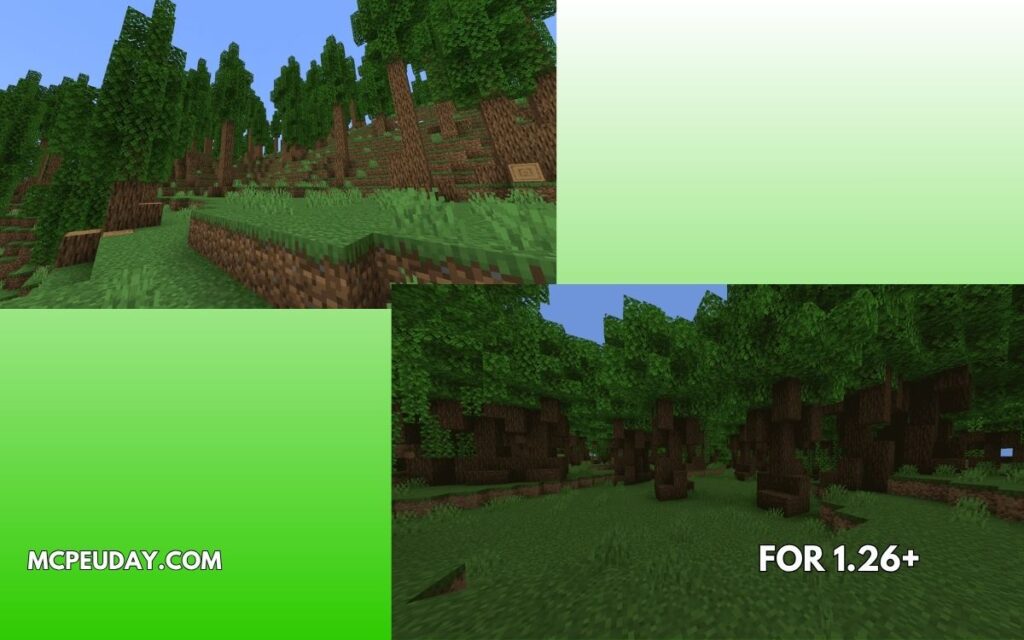
Originally known to veteran players as Vanilla Plus, the addon was rebranded to reflect its grander scope. Poggy, the lead creator behind the project, set out to expand nearly every facet of the base game. Instead of completely replacing vanilla systems, the addon enriches them. It bridges the gap between the familiar Minecraft experience and an expansive, RPG-style survival adventure.
With a file size of 72.94 MB, it packs a massive punch. This size is highly optimized for Bedrock players on mobile devices, consoles, and PCs across our supported regions in Jaipur, India, the USA, and Russia.
Unlike many heavy mods that clutter your screen, this project works beautifully alongside visual upgrades. For instance, if you love immersive environments, you can easily run this alongside the Better Foliage Addon for Minecraft to create breathtaking landscapes that match the new biomes.
Key Features and Gameplay Mechanics
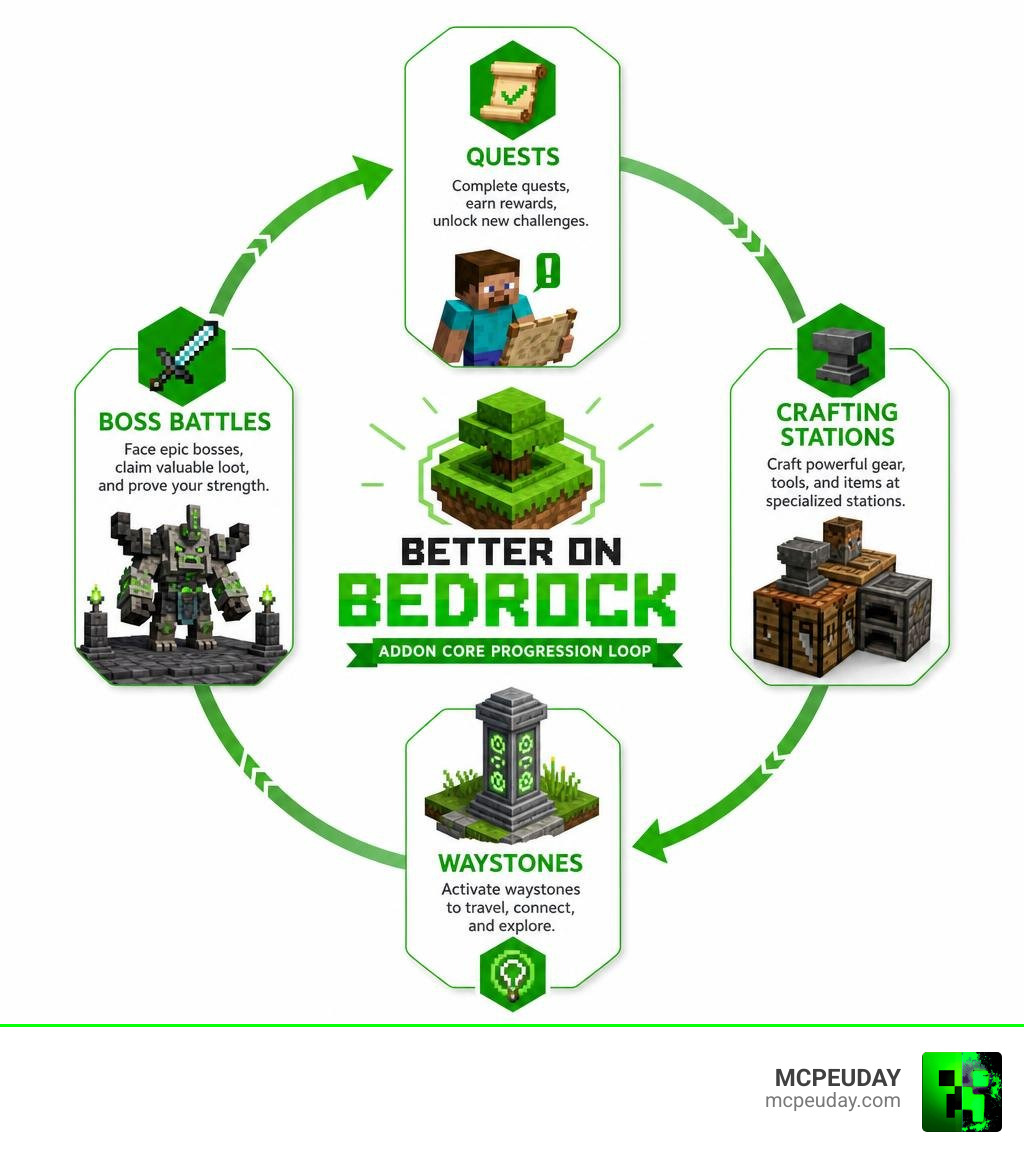
What makes this addon stand out is how seamlessly it integrates its new systems into your everyday survival loop. It introduces custom crafting benches, specialized equipment, and an entirely overhauled user interface.
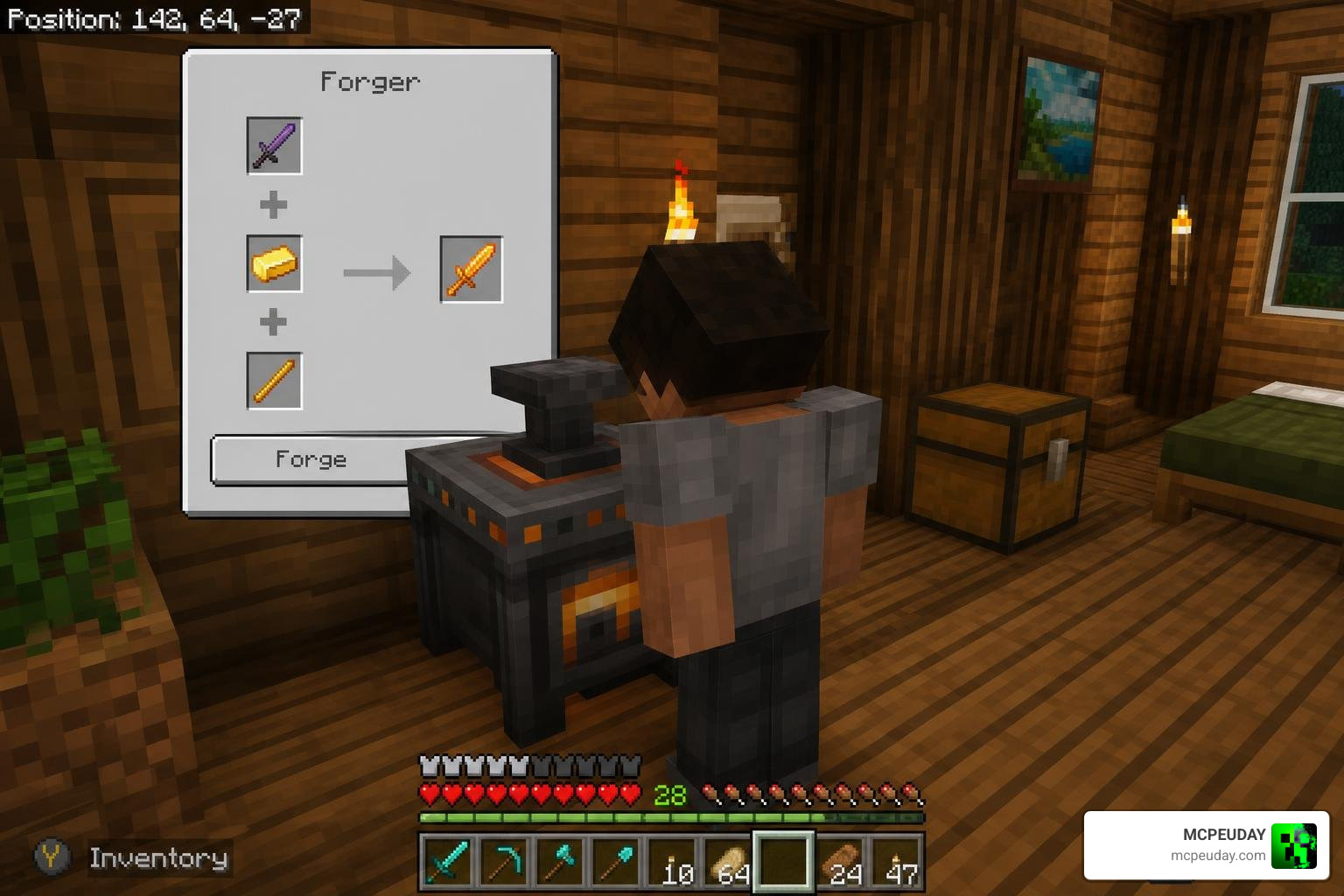
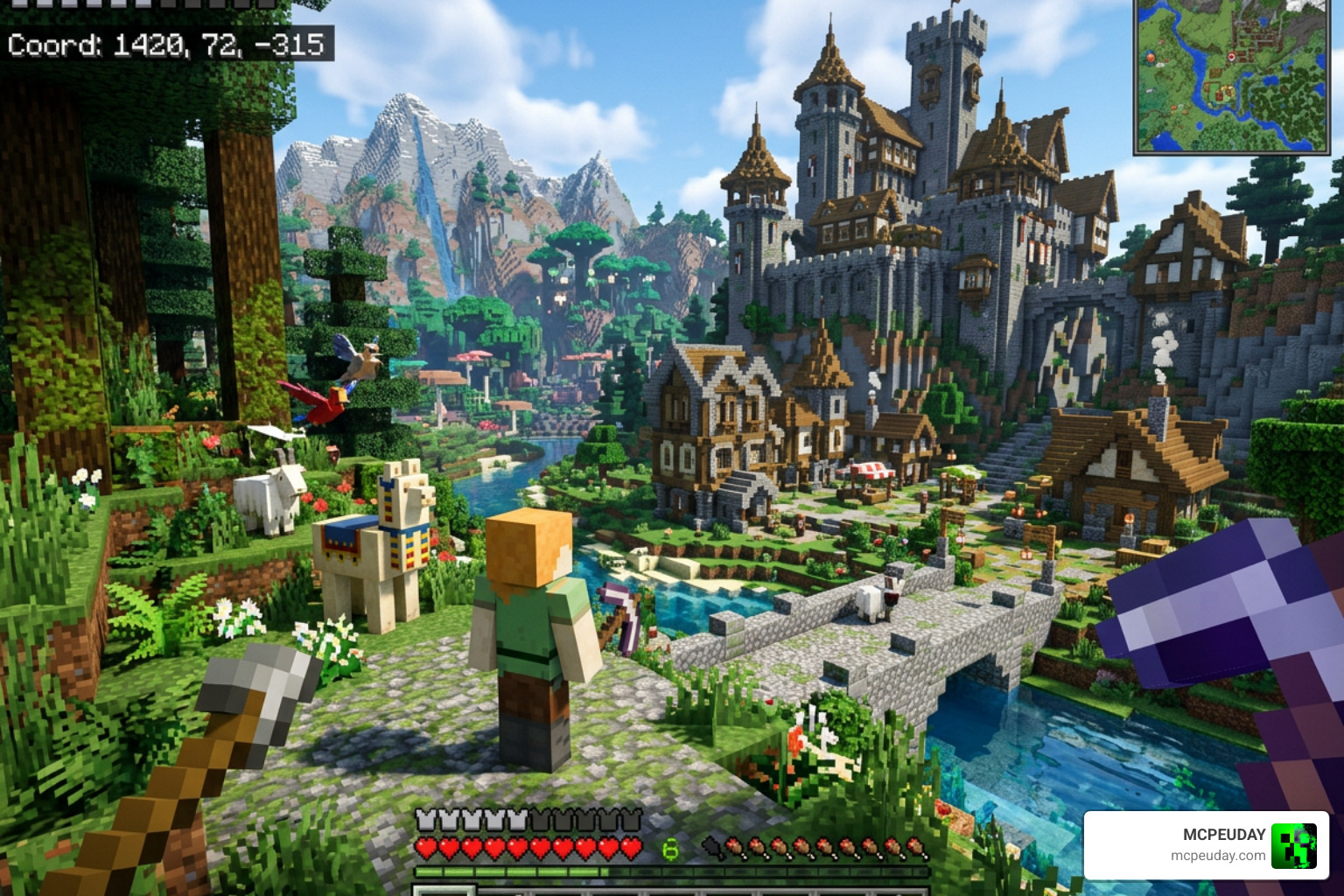
One of the first things you will notice when loading into a world with the Better on Bedrock Addon is the custom HUD and hover tooltips. The addon includes a built-in WAWLA (What Are We Looking At) system. When you look at a block, item, or mob, a clean tooltip displays:
- The name of the item.
- Whether it is a vanilla feature or added by the addon.
- The correct tool required to harvest it.
- A status update (for example, the “Can Harvest” text has been updated to a much clearer “Ready to Harvest” indicator).
These minor visual tweaks make exploration feel polished and modern. To make your night-time adventures and cave exploration even more dynamic, we highly recommend pairing these features with the Better Dynamic Light Addon for Minecraft Bedrock, which allows hand-held torches to illuminate your path as you search for the addon’s custom ores.
Questing and Bounties in the Better on Bedrock Addon
We know how easy it is to get lost in a sandbox world without a clear goal. To solve this, the addon introduces a fully realized Quest System and a Bounty Board.
When you start your world, you are given a Quest Scroll (which can also be accessed via your inventory). Opening this scroll reveals three distinct tiers of progression:
- New Start: Focuses on early-game survival, basic resource gathering, and establishing your first camp.
- Better on Bedrock: Guides you through the custom crafting tables, middle-tier gear, and initial exploration.
- Beyond the Overworld: Challenges you to conquer deep-underground threats, unique bosses, and outer dimensions.
Completing these tasks rewards you with valuable experience points and item drops. That you must manually claim your rewards from the quest menu once you finish an objective!
If you want a break from the main storyline, you can craft and place a Bounty Board. Interacting with it once per world awards you a Bounty Scroll. These scrolls give you randomized hunting contracts, such as tracking down specific hostile mobs, in exchange for high-tier loot.
Waystones, Crafting, and Progression Systems
Getting lost thousands of blocks away from home is a rite of passage in Minecraft, but the Better on Bedrock Addon introduces a brilliant way to travel. By locating a Waystone Tower or crafting an Overworld Waystone, you can establish a permanent teleportation network.
Here is how the teleportation system works:
- You can save up to 10 Waystone locations per dimension.
- To teleport, you must use an Overworld Waystone Key.
- Each teleportation costs 3 XP levels and triggers a 60-second cooldown on your key.
- Note: If you ever break and move a Waystone, make sure to re-save it at its new location to keep the link active!
To craft the high-tier gear needed for late-game areas, you will need to abandon the standard crafting table for more specialized tools:
- The Forger: Used to upgrade and forge heavy metallic gear, including the incredible Stardust Armor set (which surpasses Diamond in durability and protection) and Tinted Netherite Armor (which keeps Piglins passive while retaining all Netherite stats).
- The Miner Bench: Essential for processing the addon’s new ores, like common tin and aluminum, or the ultra-rare Stardust.
- Backpacks: No more running out of inventory space! You can craft a Regular Backpack (adding 9 extra slots) or upgrade it to a Medium Backpack (adding 24 slots) using leather.
Exploring New Biomes, Structures, and Mobs
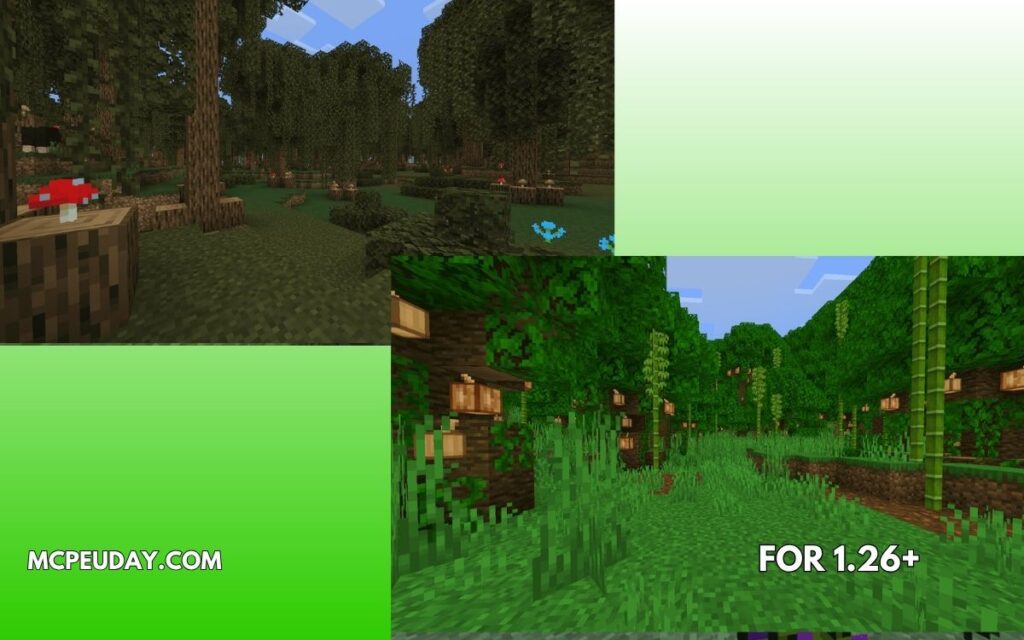
Exploration is where this addon truly shines. It completely revitalizes the Overworld by injecting custom structures and unique wildlife into almost every vanilla biome, from the quiet Birch Forests to the dense Jungles.
If you love finding unique landmarks, this addon pairs perfectly with the Better Structures Addon to turn your world into an explorer’s paradise.
Expanded Biomes and Custom Structures
As you travel across the updated plains, swamps, and savannas, keep your eyes peeled for these custom structures:
- Trader Outposts: Small outposts where you can find helpful merchants and search chests for Lootbags (which can be right-clicked for instant survival resources).
- Waystone Towers: Tall, stone spires containing a pre-generated Waystone at the top and useful loot barrels.
- Battle Towers: Multi-floor combat challenges filled with hostile spawners. Each floor gets progressively harder, but the rewards at the very top are well worth the danger.
- Adventurer Campsites & Houses: Abandoned structures that tell a story, often containing basic starter gear and food.
- Flender Outposts & Vindicator Hideouts: Heavily guarded structures where you will have to fight smart to survive.
New Mobs and Loot in the Better on Bedrock Addon
The world feels alive thanks to a variety of passive and hostile mobs. You will encounter peaceful woodland creatures like deer (which playfully refuse eye contact), owls nesting in trees, rams, and spotted sheep.
However, the wilderness is far from safe. The primary antagonist of the Overworld is the Willager boss. Found at the top of unique Battle Towers, this boss possesses 250 health and unleashes four distinct, devastating attacks. We highly advise preparing at least full Protection IV Iron Armor before attempting this fight!
If you manage to survive these threats, you can gather rare treasures:
- Soul Shards: Dropped by hostile mobs, used in magical crafting recipes.
- Runes: Obtained by defeating bosses, which can be combined with magical staffs to cast spells.
- Special Enchantments: You can trade with the passive Goblin Trader (who has 20 HP) or conquer Battle Towers to obtain powerful custom enchantments like Vein Miner (breaks entire ore veins at once, with Unbreaking I built-in, consuming 1 tool durability per block) and Tree Capitator (fells entire trees instantly).
If you want to take your dimensional exploration even further after mastering the Overworld, check out the Betterend Addon for Minecraft 1.21 to completely transform your end-game experience.
Step-by-Step Installation Guide and Requirements
Adding this massive addon to your world is straightforward, but you must follow the correct steps to ensure all custom systems load properly.
How to Install the Addon on Your Device:
- Download the File: Get the official
.mcaddonfile from the Better on Bedrock v1.2.1 CurseForge Page. - Import into Minecraft: Double-click or tap the downloaded file. Minecraft will launch automatically and import both the Behavior Pack and Resource Pack.
- Create a New World: Go to the world creation screen.
- Activate the Packs:
- Navigate to the Behavior Packs section on the left menu.
- Find Better on Bedrock and click Activate.
- Pro Tip: Activating the Behavior Pack first should automatically enable the corresponding Resource Pack. Always double-check the Resource Packs tab to make sure they are both active and matching in version!
- No Experimental Toggles Needed: One of the biggest achievements of this addon is that it runs perfectly without requiring experimental toggles. However, ensure your base game version is compatible (designed for versions up to 1.21+).
- Start Your Adventure: Click create and enjoy!
If you prefer playing pre-configured maps with custom storylines directly from the official store, you can also search for Better on Bedrock by Poggy on the Minecraft Marketplace.
Frequently Asked Questions about Better on Bedrock
Do I need to enable experimental toggles for this addon?
No! Unlike many complex Bedrock mods, the Better on Bedrock Addon does not require you to toggle any experimental settings during world creation. This makes it incredibly stable and significantly reduces the performance impact on mobile devices and lower-end consoles.
Is the Better on Bedrock addon compatible with multiplayer servers?
Currently, the addon is optimized primarily for singleplayer worlds or local co-op play. Due to the complex nature of the custom UI, quest scrolls, and waystone networks, it is not fully compatible with dedicated multiplayer servers or external hosting platforms. Attempting to run it on a large server may cause UI bugs or broken quest progression.
How do I obtain the Vein Miner and Tree Capitator enchantments?
These powerful utility enchantments cannot be obtained through a standard enchanting table. Instead, you must search for them as rare loot at the top of Battle Towers, or trade with the rare Goblin Trader who spawns randomly underground. Using Vein Miner or Tree Capitator will reduce your tool’s durability by 1 point for every block broken, so keep an anvil or mending book nearby!
Conclusion
Poggy’s Better on Bedrock Addon is a true masterpiece of community development. It successfully transforms the standard survival loop into a deep, rewarding RPG experience while preserving the classic vanilla charm we all love. From quest lines and waystone networks to challenging bosses like the Willager, there is always a new goal to strive for.
To see this incredible mod in action before you jump in, check out this popular LITERALLY The BEST MOD EVER! Better on Bedrock Video Review to get a visual feel for the gameplay.
We at MCPEUDAY are dedicated to bringing you the absolute best resources for your Minecraft worlds. Ready to find even more game-changing upgrades? Explore more Minecraft Mod Addons in our extensive library and take your survival experience to the next level!
22 thoughts on “Poggy’s Better on Bedrock Addon (26.x, 1.21) — MCPE/Bedrock Mod”