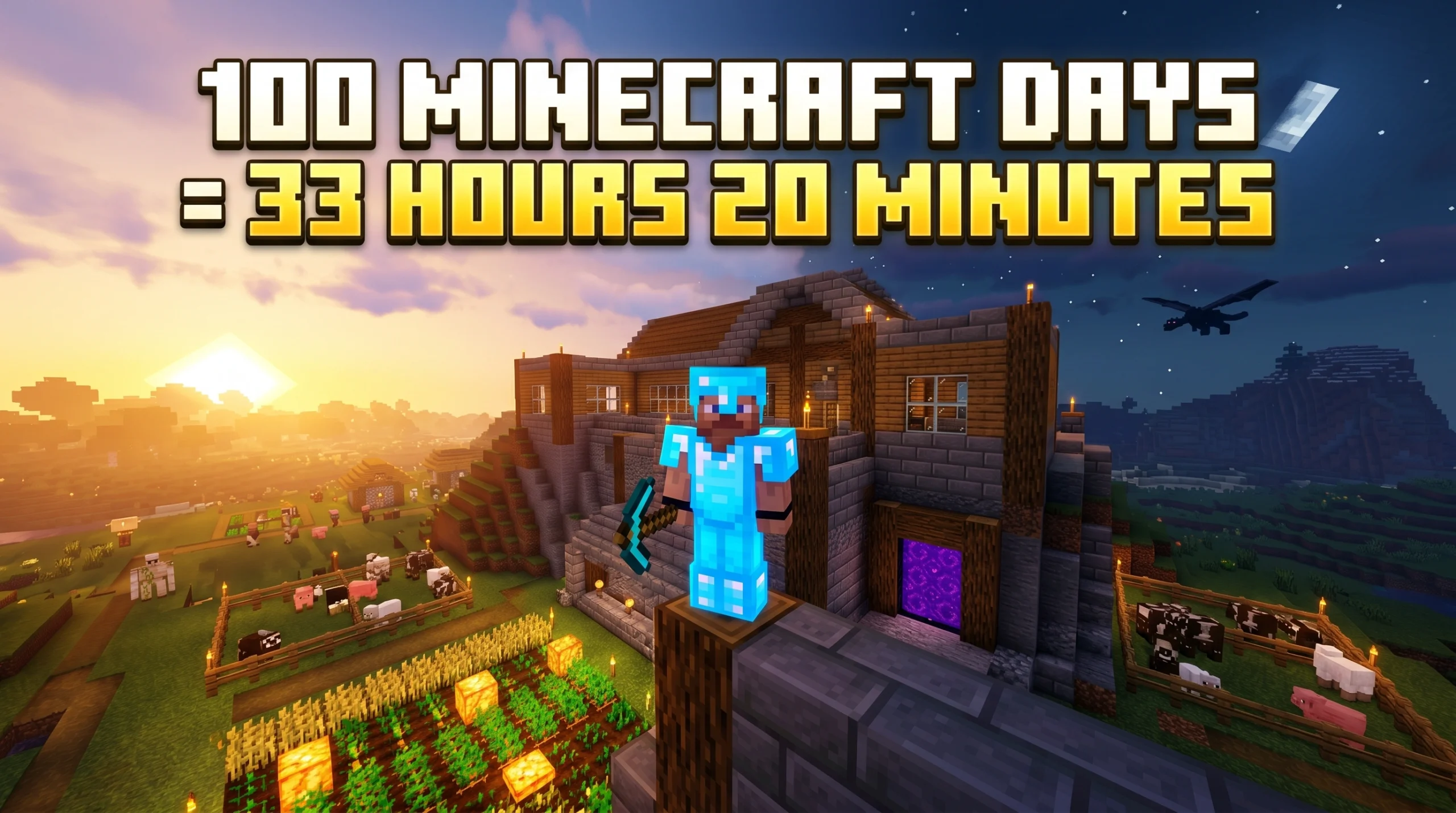
What “100 Minecraft Days” Actually Means in Real Time
If you’ve ever wondered how long is 100 Minecraft days in real life, here’s your quick answer:
100 Minecraft days = 2,000 real-world minutes = approximately 33 hours and 20 minutes of playtime.
| Minecraft Days | Real-World Minutes | Real-World Hours |
|---|---|---|
| 1 | 20 min | ~0.33 hrs |
| 10 | 200 min | ~3.33 hrs |
| 50 | 1,000 min | ~16.67 hrs |
| 100 | 2,000 min | ~33.33 hrs |
| 1,000 | 20,000 min | ~333.33 hrs |
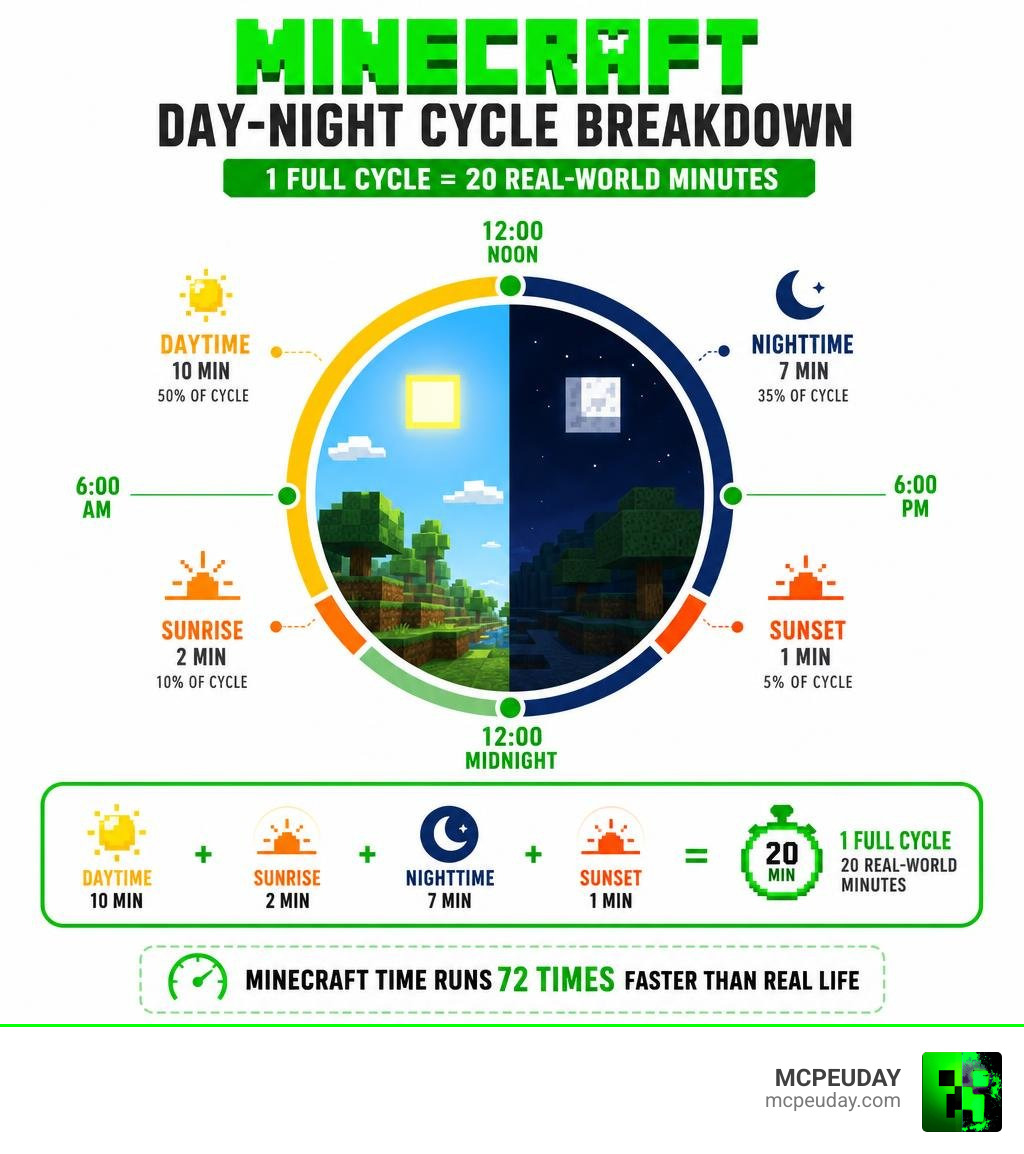
One full Minecraft day-night cycle lasts exactly 20 real-world minutes. That’s it. Minecraft time runs 72 times faster than real life, so those days fly by fast — but 100 of them still adds up to well over a full day of playtime.
This matters whether you’re grinding for the Passing the Time achievement, attempting a hardcore challenge, or just curious how much of your life you’ve poured into your world.
How Long Is 100 Minecraft Days?
When we dive into a brand-new survival world, time seems to slip away. One minute we are punching trees, and the next we are running from Creepers in the pitch black. But when we look at the raw numbers, the scale of a long-term survival journey becomes incredibly clear. Playing for How long is 100 Minecraft days? means dedicating exactly 33 hours and 20 minutes of active, unpaused gameplay to your world.
If you were to play Minecraft as a standard full-time job (eight hours a day), it would take you just over four days of continuous play to reach the 100-day milestone!
To help you visualize how this scales over even longer play sessions, we have put together a quick reference table comparing Minecraft time against real-world time:
| In-Game Duration | Real-World Time (No Sleeping) | Real-World Time (With Optimal Sleeping) |
|---|---|---|
| 1 Minecraft Day | 20 Minutes | ~11 Minutes |
| 5 Minecraft Days | 1 Hour 40 Minutes | ~55 Minutes |
| 10 Minecraft Days | 3 Hours 20 Minutes | ~1 Hour 50 Minutes |
| 50 Minecraft Days | 16 Hours 40 Minutes | ~9 Hours 10 Minutes |
| 100 Minecraft Days | 33 Hours 20 Minutes | ~18 Hours 20 Minutes |
| 500 Minecraft Days | 166 Hours 40 Minutes | ~91 Hours 40 Minutes |
| 1,000 Minecraft Days | 333 Hours 20 Minutes | ~183 Hours 20 Minutes |
As you can see, the time investment scales up dramatically. If you’re planning a massive project, knowing these conversions helps you budget your real-life schedule so you don’t accidentally look at your clock and realize it’s 4:00 AM!
The Math Behind How Long Is 100 Minecraft Days
To understand how we arrive at these exact numbers, we have to look under the hood of Minecraft’s engine. Minecraft doesn’t calculate time in seconds or minutes; instead, it uses a system called Game Ticks.
A single game tick represents one cycle of the game loop. Under normal, lag-free conditions, Minecraft runs at a steady rate of 20 ticks per second. This means:
- 1 Second = 20 Ticks
- 1 Minute (60 seconds) = 1,200 Ticks
- 1 Minecraft Day (20 minutes) = 24,000 Ticks
If we want to figure out How long is 100 days of Minecraft in real life? – Minecraft Seeds , we can use a simple mathematical formula:
$$\text{Total Ticks} = 100 \text{ days} \times 24,000 \text{ ticks/day} = 2,400,000 \text{ ticks}$$
Now, we convert those ticks back into real-world seconds and minutes:
$$\text{Total Seconds} = \frac{2,400,000 \text{ ticks}}{20 \text{ ticks/second}} = 120,000 \text{ seconds}$$
$$\text{Total Minutes} = \frac{120,000 \text{ seconds}}{60 \text{ seconds/minute}} = 2,000 \text{ minutes}$$
$$\text{Total Hours} = \frac{2,000 \text{ minutes}}{60 \text{ minutes/hour}} = 33.33 \text{ hours (or 33 hours and 20 minutes)}$$
This tick-based system is highly consistent, but it can be affected by server lag or low hardware performance. If your game experiences “server tick lag” (where the tick rate drops below 20 ticks per second), time in Minecraft will actually pass slower relative to the real world!
How Long Is 100 Minecraft Days with Sleeping vs. Without?
The calculations above assume you are playing through every single second of the day and night. However, most players don’t like sitting in the dark waiting for the sun to rise while Skeletons shoot at them. That is where the humble bed comes in.
Sleeping in a bed allows you to skip the nighttime portion of the daylight cycle entirely. But exactly How Long Is 100 Days In Minecraft With Sleeping? – ExpertBeacon and how much time does it actually save you?
Let’s break down the savings:
- A full night lasts 13,000 to 23,000 ticks (about 8 minutes and 20 seconds).
- You can crawl into a bed starting at tick 12,542 (right at dusk, when the sun dips below the horizon) or during a active thunderstorm.
- When you sleep, the game fast-forwards the tick counter directly to tick 0 (sunrise) of the next day. This transition takes only about 5 seconds of real-world animation time.
By consistently sleeping the absolute moment the game allows you to, you effectively cut out roughly 8 minutes and 20 seconds of nighttime from every single 20-minute cycle. This means your active gameplay cycle is reduced to about 11 to 12 minutes per day.
Over a 100-day run, sleeping saves you roughly 13 to 15 hours of real-world playtime, bringing the total time required down to around 18 to 19 hours! Over massive milestones like 1,000 days, utilizing a bed can save you nearly 2.5 full days of real-world time.
Minecraft Daylight Cycle, Game Ticks, and Sleeping Mechanics
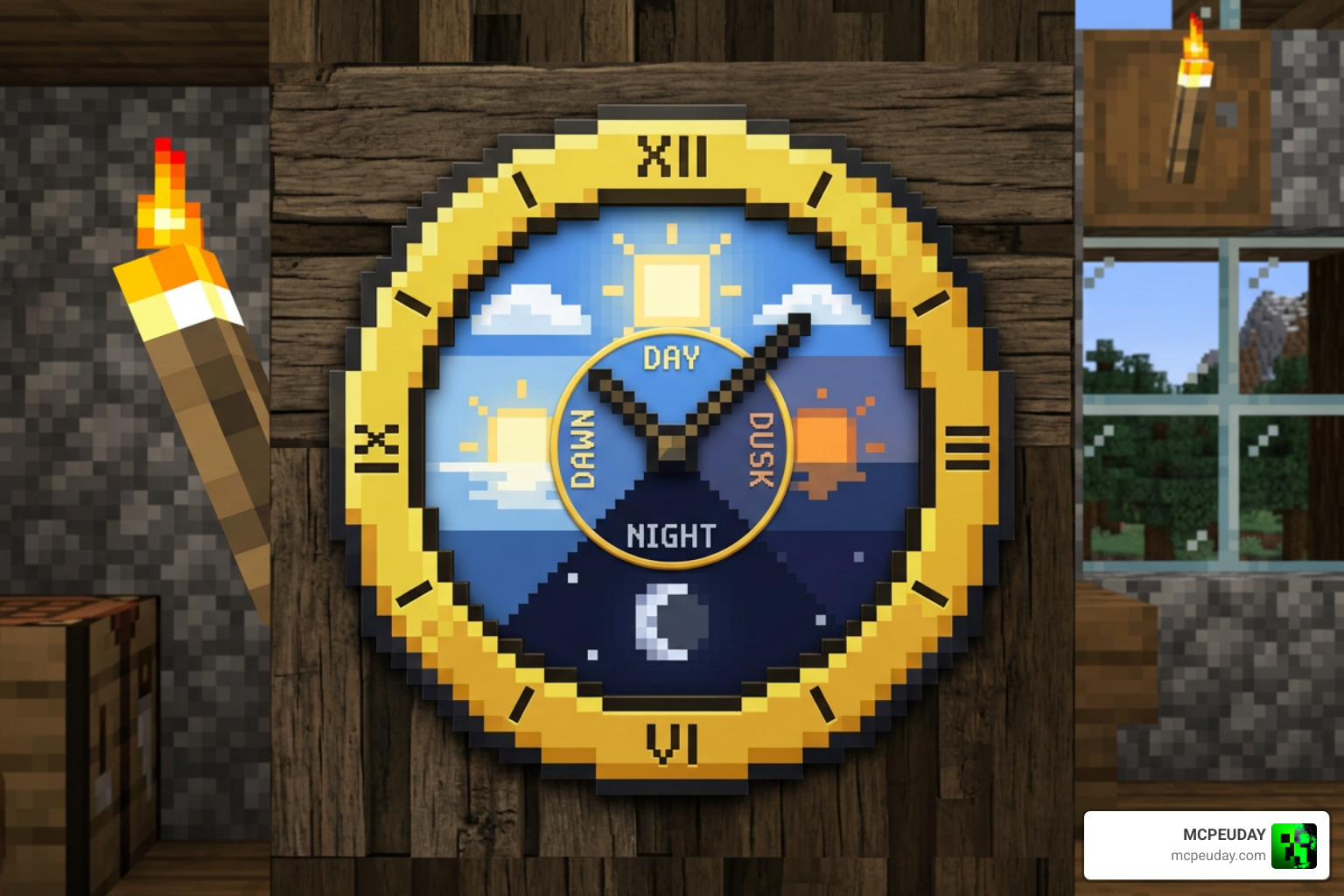
The Daylight cycle – Minecraft Wiki – Fandom is a beautiful, rhythmic system that dictates almost everything that happens in your world. From the moment the sun rises to the dead of night, the game transitions through distinct phases, each lasting a specific number of ticks:
- Daytime (0 – 12,000 ticks / 10 minutes): The sun rises, reaches its peak at tick 6,000 (noon), and starts to descend. This is the safest time to build, farm, and explore.
- Sunset / Dusk (12,000 – 13,000 ticks / 50 seconds): The sky turns a warm orange, and the sun disappears. At tick 12,542, the light level drops enough for you to sleep.
- Nighttime (13,000 – 23,000 ticks / 8 minutes and 20 seconds): The moon rises, reaching its peak at tick 18,000 (midnight). Hostile monsters spawn on any surface with a light level of 0.
- Sunrise / Dawn (23,000 – 24,000 ticks / 50 seconds): The sky brightens, and undead mobs like Zombies and Skeletons begin to burn in the direct sunlight.
The cycle also tracks Moon Phases. The moon goes through eight distinct phases over the course of eight in-game days. This isn’t just cosmetic; the moon phase directly affects mob spawning rates (like Slimes in swamps) and the probability of monsters spawning with armor or weapons!
Key Milestones in a Single Minecraft Day
To survive 100 days, you need to understand the daily routine of the world around you. Every in-game day is packed with scheduled events:
- Tick 0 (6:00 AM): The day begins. Villagers wake up, leave their beds, and start wandering.
- Tick 2,000 (8:00 AM): Villagers arrive at their workstations and begin working, which allows you to trade with them and refreshes their stock.
- Tick 9,000 (3:00 PM): Villagers gather around the village bell to gossip, which can trigger Iron Golem spawns if they feel threatened.
- Tick 12,000 (6:00 PM): Villagers head back to their houses and jump into bed.
- Tick 13,000 (7:00 PM): Hostile mobs begin spawning. If you haven’t slept in three consecutive days (72,000 ticks), Phantoms will start spawning in the night sky to hunt you down!
- Local Difficulty Scaling: The longer you spend in a specific chunk, the higher the “local difficulty” becomes. Over time, mobs will spawn with better armor, stronger weapons, and effects like speed or strength.
While managing your daily schedule, you will also want to optimize your resource gathering. For instance, knowing the Best Y Level for Diamonds in Minecraft Ultimate Guide to Finding Diamonds Fast will help you secure top-tier gear well before your first 10 days are up, keeping you safe from the escalating local difficulty.
Using Commands to Control the Daylight Cycle
If you are playing in Creative Mode or have cheats enabled in your world, you don’t have to be at the mercy of the natural cycle. You can freeze, skip, or modify time using simple console commands.
- Changing the Time: You can skip directly to specific times of day using
/time set <value>./time set day(sets time to 1,000 ticks)/time set night(sets time to 13,000 ticks)/time set midnight(sets time to 18,000 ticks)
- Freezing the Cycle: If you want to stop the sun from moving entirely (perfect for massive building projects), use the gamerule command:
/gamerule doDaylightCycle false- To turn it back on, simply type
/gamerule doDaylightCycle true.
Using these tools gives you ultimate control over your creative environment. However, keep in mind that turning off the daylight cycle or enabling cheats will disable achievements in survival worlds. As we look at modern gameplay platforms in June 2026, keeping your game secure and legitimate is easier than ever; check out our guide on Minecraft Age Verification Goes Live in the UK What It Means for Players in 2026 to see how account safety and verification are evolving for players worldwide.
Strategies for Surviving the 100-Day Challenge
The “100 Days in Hardcore Minecraft” format is one of the most popular gaming trends online. Creators like those in the 100 DAYS MINECRAFT – YouTube community have shown us just how thrilling it is to set a timer and try to build a thriving empire under a strict deadline. Whether you are playing a vanilla world or trying custom challenges like surviving I Survived 100 Days in ANCIENT INDIA in Hardcore Minecraft , having a solid plan is the key to making it to day 100.
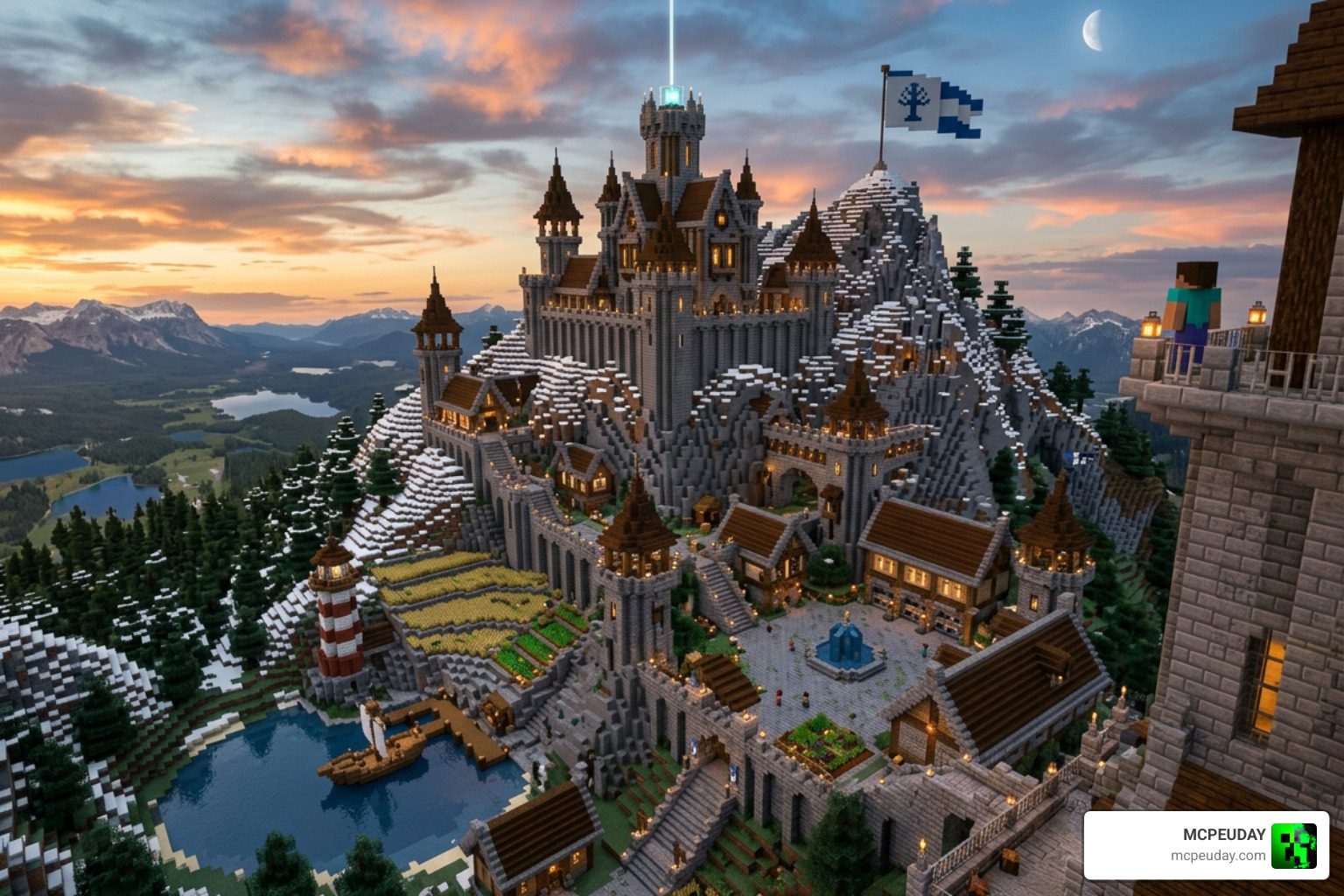
Here is a day-by-day roadmap we recommend to guarantee survival:
- Days 1–5 (The Setup): Focus on the essentials. Punch trees, craft basic tools, gather coal, and kill sheep to make a bed immediately. Build a temporary dirt or cobblestone shelter before the first night falls.
- Days 6–20 (The Iron Age & Agriculture): Establish a reliable food source by farming wheat, carrots, or breeding cows. Locate a nearby cave system or ravine to mine iron, craft a full set of iron armor, and secure a shield.
- Days 21–50 (Deep Mining & The Nether): Head down to deepslate levels to mine diamonds. Once you have a diamond pickaxe, build a Nether Portal. Gather blaze rods and nether wart to set up a brewing station for potions.
- Days 51–80 (Automation & Trading): Build automatic farms using redstone. Set up a villager trading hall to easily get enchanted books like Mending and Unbreaking.
- Days 81–100 (The End Game): Locate the Stronghold using Eyes of Ender. Prepare your potions, golden apples, and diamond gear, then defeat the Ender Dragon to secure your victory!
If you want to see how the absolute best players optimize their time and complete these challenges with effortless style, check out our list of the Top 10 Best Minecraft Players of All Time Legends Who Defined the Game.
Earning the ‘Passing the Time’ Achievement
For achievement hunters on Bedrock Edition, surviving 100 days is a major milestone. The ‘Passing the Time’ achievement requires you to play in a single world for 100 in-game days.
To earn this achievement legitimately, keep these rules in mind:
- No Cheats: You cannot enable cheats, use creative mode, or activate behavior packs in your world settings.
- Active Playtime: The game must be running and unpaused. Leaving the game on the pause menu stops the daylight cycle and tick counter.
- No Skipping the Requirement: While sleeping speeds up the calendar days, some versions of the achievement require the full 33 hours of real-world active playtime to trigger.
It is a true test of dedication, proving you have spent more than Decoding ‘100 Days’ in Minecraft: More Than Just a Number – Oreate AI Blog standard hours building, exploring, and mastering your environment!
Frequently Asked Questions about Minecraft Time
How many real-life days is 100,000 Minecraft days?
If you are wondering How many real life days are 100,000 Minecraft days? , the math is staggering.
- 100,000 Minecraft days equals 2,000,000 minutes of real-world playtime.
- This converts to 33,333.33 hours.
- If you played continuously without pausing, eating, or sleeping, it would take you 1,388.89 real-life days (nearly 3.8 years) of non-stop gaming to reach this milestone!
Does sleeping speed up crop growth in Minecraft?
No, sleeping does not speed up crop growth. Crop growth in Minecraft is governed by “random ticks” which only occur in chunks that are currently loaded and active around the player. When you sleep, the game skips the night instantly, but it does not run the corresponding random ticks that would have occurred during those eight minutes.
As explained in guides on How long does 100 Minecraft day last? – Games Learning Society , skipping the night actually reduces the real-world time your crops have to grow, though it keeps you much safer from monster attacks!
Can you change the length of a Minecraft day?
In vanilla Minecraft, you cannot change the speed or length of the natural 20-minute day-night cycle without using commands to freeze it. However, if you are playing on Java Edition or utilizing custom mods, you can use specialized time-scaling mods to make days last hours or even sync up with your real-world clock!
Modding opens up endless possibilities for how we play. If you love cross-platform play and custom game engines, you might also want to read about how Minecraft and Hytale Crossplay Is Now Real Thanks to a Wild New Mod.
Conclusion
Understanding how long is 100 Minecraft days is more than just a fun trivia fact—it is a vital tool for mastering your survival worlds, optimizing your builds, and planning your gaming sessions. Whether you are running through the night to maximize your crop growth or sleeping away the darkness to speed up your 100-day challenge, time is your most valuable resource.
If you want to make those 33 hours of playtime look absolutely breathtaking, we have got you covered. Head over to MCPEUDAY to browse our massive library of visual upgrades and Download Minecraft Shaders to completely transform your world’s sunrises, sunsets, and night skies today!
